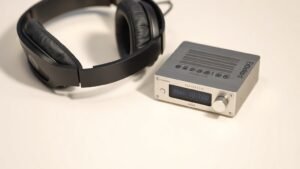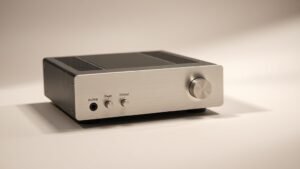
Every great recording starts with proper signal conversion, yet many producers overlook the interface that handles this critical first step in their signal chain.
Audio interfaces serve as the bridge between the analogue world of microphones and instruments and the digital realm of computer recording. They convert analogue signals to digital data your computer can process, while providing essential features like microphone preamps, phantom power, and monitoring capabilities that determine recording quality before any software processing begins.
This guide explains what audio interfaces actually do, breaks down the technical specifications that matter, and provides practical advice for choosing the right interface based on your recording needs and budget constraints.
What Audio Interfaces Actually Do
The primary job of an audio interface involves analogue-to-digital conversion, transforming continuous electrical signals from microphones and instruments into discrete digital samples your computer can record and manipulate. This process requires precise timing and sufficient bit depth and sample rate to capture audio accurately without introducing noise or distortion.
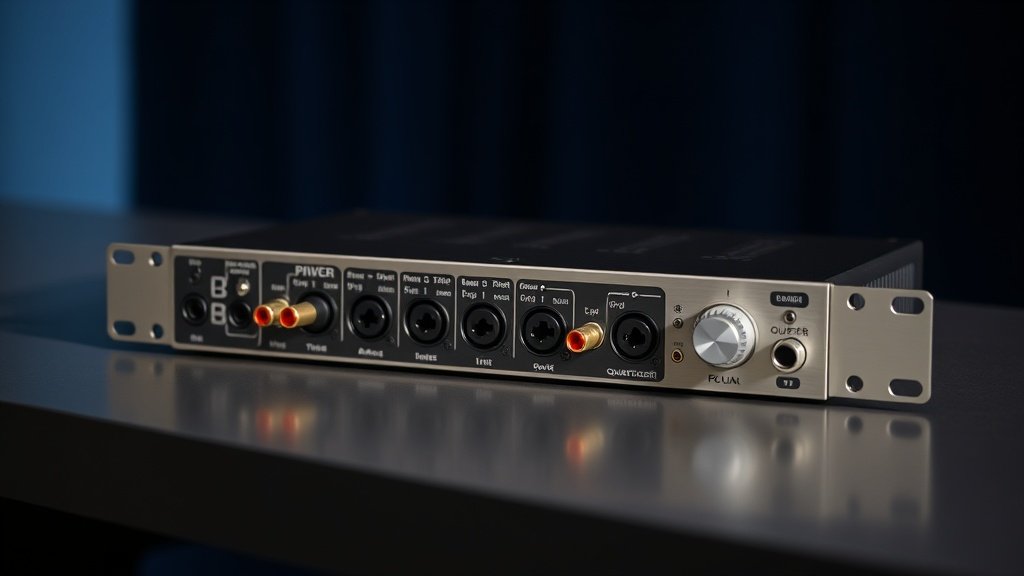
Beyond conversion, interfaces provide microphone preamps that boost low-level mic signals to line level, phantom power for condenser microphones, and direct monitoring that lets you hear input signals without computer latency. The Focusrite Scarlett Solo demonstrates these basics in a simple package, while the PreSonus AudioBox USB 96 adds multiple inputs for slightly more complex recording scenarios.
Quality interfaces also handle digital-to-analogue conversion for playback, driving headphones and studio monitors with clean, powerful output stages. The RME Babyface Pro FS excels in this area, providing exceptional headphone amplification and balanced monitor outputs that reveal mix details other interfaces might obscure through poor conversion or inadequate amplification.
Preamp Quality and Gain Structure
Microphone preamps built into audio interfaces vary dramatically in quality, noise performance, and sonic character. Clean, transparent preamps like those in the Zoom PodTrak P4 provide accurate signal amplification without colouration, while others such as those found in the Universal Audio Apollo Twin introduce subtle harmonic enhancement that some engineers prefer for certain sources.
Gain structure becomes critical when matching preamp capabilities to microphone sensitivity and recording requirements. Dynamic microphones like the Shure SM57 require substantial gain to reach proper recording levels, demanding preamps with at least 60dB of clean amplification. Ribbon microphones need even more gain, often exceeding 70dB, which separates quality interfaces from budget options that run out of clean headroom.
The difference shows up immediately in noise performance and signal clarity. Interfaces with inadequate gain force you to boost levels in software, raising the noise floor and degrading recording quality. The MOTU M2 provides 60dB of gain with excellent noise performance, while the Audient iD4 offers similar specifications with slightly different tonal characteristics that some engineers prefer for vocal recording.
Quality preamps provide clean gain without forcing software level adjustments that raise noise floors and degrade signal integrity.
Sample Rate, Bit Depth, and Conversion Quality
Sample rate determines how often the interface captures snapshots of analogue waveforms, with 44.1kHz providing adequate quality for most applications while 96kHz or 192kHz offers potential benefits for specific recording and mixing techniques. Higher sample rates require more processing power and storage space without always delivering audible improvements, particularly for final consumer playback at standard rates.
Bit depth controls dynamic range and noise floor, with 24-bit recording providing approximately 144dB of theoretical dynamic range compared to 16-bit recording at 96dB. Professional interfaces like the Apogee Duet consistently deliver full bit depth performance, while some budget units may not achieve their specified dynamic range due to circuit design limitations or power supply constraints.
Conversion quality depends on both the analogue circuits feeding the converters and the digital processing that follows. The Antelope Audio Zen Go demonstrates how quality conversion can elevate even modest setups, providing clarity and depth that makes mixing decisions easier and final recordings more professional sounding.
Connectivity and Expansion Options
USB connectivity works well for most home studio applications, with USB-C providing more reliable power delivery and data transfer than older USB-A connections. Thunderbolt interfaces like the Universal Audio Apollo Twin X offer lower latency and higher channel counts but require compatible computer ports and generally cost significantly more than equivalent USB units.
Input and output configurations determine recording flexibility and monitoring options. Simple 2-in/2-out interfaces handle basic vocal and instrument recording, while 4-input units like the Behringer U-Phoria UMC404HD enable small band recording or multi-microphone techniques. Consider future needs carefully, as expanding input count later often proves more expensive than buying adequate capacity initially.
Digital expansion through ADAT or S/PDIF connections allows channel count increases using external preamps or additional converter units. The PreSonus Studio 68c includes ADAT input for connecting 8-channel preamp units, effectively doubling recording capacity when larger sessions demand more simultaneous inputs than the interface provides natively.
Monitoring Features and Latency Management
Direct monitoring bypasses computer processing to provide immediate signal feedback without the delay inherent in digital audio workstation monitoring. This feature becomes essential when recording performers who need immediate feedback, as even small latency amounts can disrupt timing and musical performance quality.
Hardware mixer controls on interfaces like the Tascam US-2x2HR allow blend adjustment between input signals and computer playback, enabling overdub recording where performers hear both their live input and previously recorded tracks without software complexity. Some units provide separate headphone and monitor mixes, giving recording engineers control over what performers hear versus what comes through studio monitors.
Buffer size settings in recording software affect latency but also system stability and CPU usage. Lower buffer sizes reduce monitoring delay but demand more computer processing power and may cause audio dropouts on less powerful systems. Quality interfaces handle small buffer sizes more reliably, with units like the RME Babyface Pro FS operating stably at 64-sample buffers where budget interfaces may require 256 samples or higher to avoid glitches.
Buying an interface based solely on input count without considering preamp quality. Interfaces with many inputs but poor preamps force you to add external preamp units later, negating the cost savings and complicating your signal chain unnecessarily.
Ignoring computer compatibility and driver requirements before purchasing. Some interfaces require specific operating system versions or have limited driver support that may not work with your current computer setup or preferred recording software.
Choosing sample rates above 48kHz for projects that will be mixed and mastered at standard rates. Higher sample rates consume more storage and processing power without providing audible benefits for most recording applications, while potentially creating workflow complications during mixing and mastering stages.
Conclusion
Audio interfaces determine recording quality through preamp performance, conversion accuracy, and monitoring capabilities that affect every aspect of your recording chain. Focus on clean preamps with adequate gain, reliable drivers, and input configurations that match your actual recording needs rather than theoretical future requirements. Quality conversion at standard sample rates consistently outperforms budget interfaces running at higher specifications.

FREE DOWNLOAD
Stop Guessing. Start Buying Smart.
The specs that actually matter, demystified.
Headphones, microphones, the spec sheet jargon you can ignore — all in one quick-reference PDF. Free, instant, no fluff.
Send Me the CheatsheetYou'll also receive occasional new guide notifications. Unsubscribe anytime. No spam, ever.