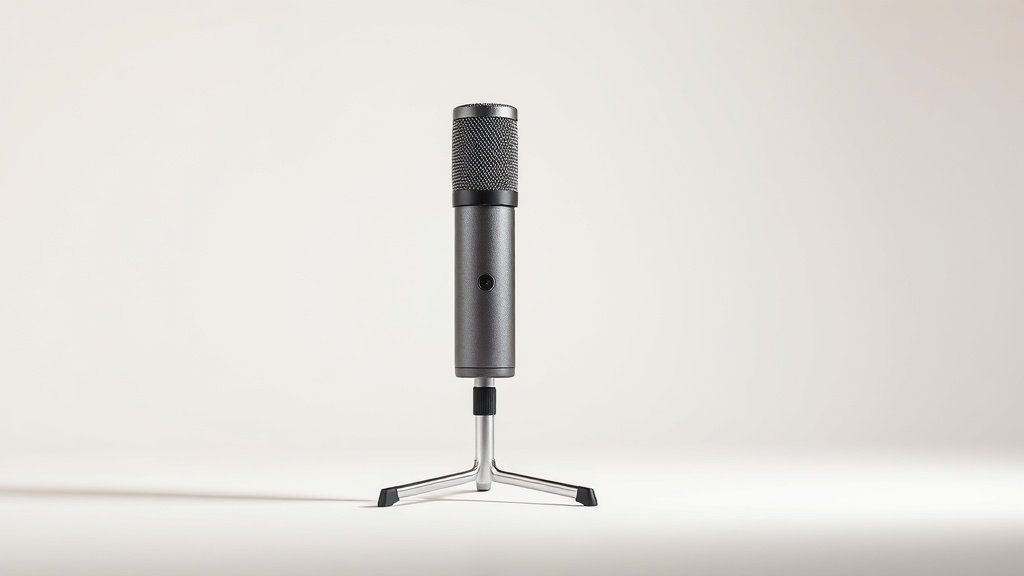
Bad audio ruins meetings faster than bad video. When your colleagues are asking you to repeat yourself every other sentence, or when background noise from your kitchen fan bleeds into every word, the problem is almost always your microphone — not your internet connection. A decent mic is the single cheapest upgrade you can make to your Zoom experience.
This guide covers the best microphones for Zoom meetings in 2026, whether you’re a solo remote worker who needs a clean desk mic, a small team huddled around a conference table, or someone running a larger meeting room. We’ve filtered down to the most useful options across different use cases and budgets, so you can stop guessing and just pick the right one.
Every product here is available on Amazon right now. We’ve included conference speakerphones, USB condenser mics, and everything in between — because ‘best microphone for Zoom’ means very different things depending on whether there’s one person or fourteen in the room.
Best overall conference room pick: EMEET Conference Speaker and Microphone

The EMEET Conference Speaker and Microphone is built squarely for teams. Its eight microphones arranged around the unit give it genuine 360-degree voice pickup, meaning everyone seated around a table gets heard without leaning in or raising their voice. The 2025 version also supports daisy-chaining, so if your meeting room regularly seats more than fourteen people, you can link two units together and cover up to twenty-five participants — a feature most rival speakerphones simply don’t offer.
Connection flexibility is one of the EMEET’s strongest suits. It works over Bluetooth, USB, or wireless dongle, so whether you’re connecting a laptop, a tablet, or a dedicated conference room PC, you’re covered. It’s also confirmed compatible with the leading video platforms, Zoom included. The built-in noise reduction helps keep HVAC hum and office chatter from muddying the call.
The one honest limitation is size: this is a proper conference unit, not something you’ll casually toss into a laptop bag. It’s designed to live on a meeting room table, not on a home desk. If you’re a solo caller, it’s more hardware than you need.
Buy this if: you’re equipping a small-to-medium meeting room and want a single device that handles audio for the whole team.
Best for personal workspaces: Anker PowerConf Speakerphone

The Anker PowerConf is Zoom-certified, which means it’s been tested and approved by Zoom directly — not just ‘compatible’ in a vague marketing sense. That certification matters if your company has strict IT requirements or if you simply want the reassurance that the device will behave properly inside the Zoom interface. For a personal workspace or home office, that’s a real selling point.
Six microphones arranged for 360-degree enhanced voice pickup mean it handles pick-up well even if you’re not sitting perfectly centred in front of it. Bluetooth 5.3 and USB-C connectivity keep the setup clean, and the headline call time figure quoted in the title suggests you won’t be hunting for a cable during a long afternoon of back-to-back meetings. It’s a compact unit — much more suited to a desk than a boardroom.
The trade-off is coverage: six mics and a personal-workspace design mean it’s optimised for one person, maybe two at a push. It’s not going to serve a room of eight people the way the EMEET will. Keep your expectations matched to its size.
Buy this if: you’re a solo remote worker who wants Zoom-certified audio without the bulk of a full conference unit.
Best premium USB condenser mic: Sennheiser Profile


The Sennheiser Profile is a proper desktop USB condenser microphone from one of the most respected names in professional audio. Where speakerphones are designed to pick up a whole room, the Profile is a cardioid condenser — meaning it focuses on what’s directly in front of it and rejects sound from the sides and rear. For a solo caller who wants genuinely broadcast-quality voice clarity on Zoom, that directional focus is a significant advantage.
The built-in controls are unusually thoughtful: a mute button, a dedicated headphone jack, and separate gain, mix, and volume controls are all on the mic body itself. You don’t need software or a separate interface to manage your audio — everything is within reach on the desk. The USB-C cable included means it’ll connect cleanly to most modern laptops without a dongle hunt.
The limitation is straightforward: the cardioid pickup pattern means it only really captures one person well. If you occasionally have a colleague sitting beside you in a home office, they’ll likely sound noticeably quieter than you. It’s a one-voice microphone, by design.
Buy this if: you’re a professional who presents frequently on Zoom and wants the clearest possible solo voice quality from a reputable audio brand.
Best value USB mic: Logitech Blue Yeti

The Blue Yeti has been a reliable USB microphone workhorse for years, and it remains one of the most versatile single-mic options you’ll find. It’s a USB condenser with four selectable pickup patterns — cardioid, bidirectional, omnidirectional, and stereo — which means it can adapt to more situations than most desk mics. For Zoom, cardioid mode keeps focus on your voice; omnidirectional can pull in two or three people gathered around a desk.
The Blue Yeti includes Blue VO!CE effects processing built in, which lets you apply basic voice shaping without third-party software. It’s plug-and-play on both PC and Mac, so there’s no driver installation faff before your first meeting. The Blackout finish looks professional on camera too, which matters more than it probably should in video calls.
It’s on the larger and heavier side for a desk mic, which can feel imposing on a small desk. Some users also find the stand positions the capsule a little low if used flat — a small arm or riser can help. These are minor gripes for an otherwise well-rounded performer.
Buy this if: you want a flexible USB microphone that’s equally useful for Zoom meetings, occasional recording, and content creation without buying multiple devices.
Best compact USB mic: Logitech Blue Yeti Nano
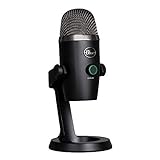
The Blue Yeti Nano is essentially the Blue Yeti trimmed down for people who don’t need every feature but do want the Blue pedigree. It’s a USB condenser microphone designed for gaming, streaming, and — importantly for our purposes — Discord and online communication, which maps neatly to Zoom. The plug-and-play setup works on both PC and Mac with no drivers needed.
Compared to the full-size Yeti, the Nano has a smaller footprint, which makes it easier to position on a crowded desk without dominating the space. It’s a genuinely practical choice for a home office where real estate is tight. The Blackout version keeps the look clean and professional in video frames.
The honest limitation is reduced flexibility: the Nano offers fewer pickup pattern options than its bigger sibling, so if you later want to record instruments or capture a two-person conversation equally, you may find it limiting. For straightforward solo Zoom calls, though, that restriction rarely matters.
Buy this if: you want the Blue Yeti sound quality in a smaller, tidier package for a compact home office desk.
Best budget omnidirectional option: TONOR G11 Conference USB Microphone

The TONOR G11 is an omnidirectional USB condenser microphone designed specifically for video conferencing, online classes, and voice recording from a PC. Omnidirectional pickup means it captures sound from all directions equally, which makes it useful for small group calls where two or three people are gathered around a single computer. It’s plug-and-play compatible with both Mac OS X and Windows, so getting it running takes seconds.
For what it is — a no-fuss, affordable conference mic — the TONOR G11 does the job without overcomplicating things. There are no extra controls to learn, no app to install, and no Bluetooth pairing to wrestle with. If your current microphone is a laptop’s built-in option, this will be a noticeable step up in clarity for a modest outlay.
The trade-off is that omnidirectional pickup also captures more background noise than a cardioid mic would. If your home office is quiet, that’s fine. If you’re in a busy household or open-plan office, you’ll hear more of the room than you’d like. It’s the most affordable pick here, but the background noise sensitivity is worth knowing about upfront.
Buy this if: you want a simple, budget-friendly USB microphone for Zoom without any setup complexity.
How to choose a microphone for Zoom meetings
Solo caller or group? This is the most important question. If it’s just you on a desk, a directional USB condenser mic (cardioid pattern) is the right tool — it focuses on your voice and rejects room noise. If you have multiple people in the same room joining the same call, you need a speakerphone or omnidirectional mic that can pick up voices from around a table.
Connection type matters. USB is the simplest — plug in and go, no drivers, works on virtually every laptop. USB-C is increasingly common on modern machines. Bluetooth adds flexibility but introduces a small amount of latency that most callers won’t notice but audio purists might. Wireless dongle connections split the difference: no cable, but more reliable than Bluetooth in busy wireless environments.
Zoom certification versus ‘compatible’. A Zoom-certified device has been tested and approved by Zoom’s own engineering team. ‘Compatible’ usually just means it uses a standard audio protocol that Zoom can recognise. Certification is a stronger guarantee, especially in managed IT environments.
Noise cancellation helps, but isn’t magic. Hardware noise reduction (built into speakerphones like the EMEET) reduces background noise before it ever reaches your call. Zoom also has its own software noise suppression. Both together work well; relying on software alone has limits in genuinely noisy spaces.
Think about your desk space. A large-diaphragm USB mic like the Blue Yeti sounds excellent but takes up real estate. If your desk is small, a compact speakerphone or a smaller mic like the Blue Yeti Nano may be a more practical fit than a studio-style condenser with a stand.
Frequently asked questions
Do I really need a separate microphone for Zoom — can’t I just use my laptop’s built-in mic?
You can, but most laptop microphones are small, positioned poorly, and pick up keyboard noise and fan hum. A dedicated microphone — even a budget one — will make your voice noticeably clearer to everyone on the call. If you’re on calls regularly, it’s worth the upgrade.
What’s the difference between a speakerphone and a USB condenser microphone?
A speakerphone combines a microphone (usually several) with a built-in speaker, designed to sit in the middle of a table and serve multiple people. A USB condenser mic is a single microphone for one person, typically pointed at the speaker’s mouth from a desk stand. Speakerphones suit meeting rooms; USB mics suit solo callers at a desk.
What does ‘Zoom certified’ actually mean?
Zoom-certified means the manufacturer submitted the device for testing by Zoom’s engineering team and it passed their compatibility and performance requirements. It’s a stronger guarantee than simply ‘works with Zoom’, which any device using a standard audio driver can claim.
Is Bluetooth audio good enough for Zoom calls?
For most calls, yes. Modern Bluetooth connections are stable enough for voice communication. The small latency introduced by Bluetooth is rarely noticeable on a standard video call. Where it can be an issue is in very large or RF-busy environments where wireless interference is more likely.
Can I use a gaming or podcasting microphone for Zoom?
Absolutely. Microphones marketed for gaming, streaming, or podcasting — like the Blue Yeti and Blue Yeti Nano — are simply USB condenser microphones. They don’t know or care what software you’re using. If they sound good for a podcast, they’ll sound good on Zoom.
The verdict
For most teams equipping a meeting room, the EMEET Conference Speaker and Microphone is the standout pick — the daisy-chain support and multi-mic 360-degree pickup make it the most capable all-round conference solution in this list. For solo remote workers who want the best voice quality from a desk mic, the Sennheiser Profile is the premium choice, while the Anker PowerConf offers the best balance of Zoom certification, compact size, and wireless flexibility for personal workspaces.
For more, browse all our reviews and roundups.
AudioTechExpert is reader-supported. This article contains affiliate links, and we may earn a commission on qualifying purchases at no extra cost to you.
