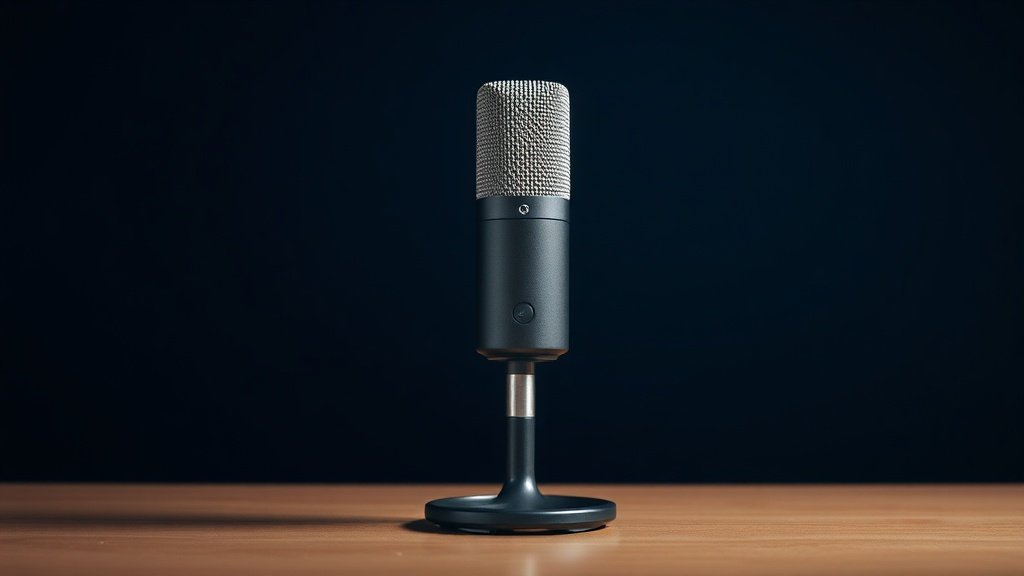
If you are shopping for a USB condenser microphone for streaming, podcasting, or home recording, there is a very good chance you have already narrowed things down to two names: the Elgato Wave:3 and the Blue Yeti. Both are plug-and-play USB condensers aimed squarely at creators who want professional-sounding audio without needing an audio interface or a recording degree. Choosing between them is genuinely tricky, because they overlap heavily on paper — yet they serve slightly different kinds of creators in practice.
This comparison puts the Elgato Wave:3 White against the Logitech Creators Blue Yeti (Blackout) across every criterion that matters to a streamer, podcaster, or home-office worker: sound capture, pickup flexibility, software, build, and overall value. We will not declare one universally better — instead, we will help you work out which one is right for your specific setup and workflow.
Both mics sit in a similar price bracket, both connect via USB, and both are respected by the creator community. The differences, once you dig in, are real and meaningful — so read on before you add to cart.
Elgato Wave:3: the streamlined, software-integrated powerhouse

The Elgato Wave:3 is designed from the ground up with streamers and content creators in mind — and it shows in every detail. The built-in anti-distortion system is one of its headline features: a secondary capsule monitors the signal and automatically prevents clipping if your voice peaks suddenly, which is a genuinely useful safety net during live streams when you cannot babysit your levels. Setup is as straightforward as it gets; plug it in via USB and your computer recognises it immediately on both Mac and PC.
Where the Wave:3 really distinguishes itself is in its software ecosystem. The free Wave Link mixer software lets you blend multiple audio sources — game audio, voice chat, music, browser tabs — into separate streams for your broadcast and your personal monitoring. For anyone already in the Elgato ecosystem (Stream Deck, capture cards, lighting), this integration is a significant advantage. The microphone itself has a clean, focused cardioid pickup pattern, a tactile capacitive mute button, and a monitoring headphone output on the body of the mic.
The honest limitation is flexibility: the Wave:3 offers only a cardioid pickup pattern. If you ever need to record a conversation between two people facing the mic from opposite sides, or capture room ambience, you are out of luck with this mic. It is purpose-built for solo creator use, and that focus is both its strength and its constraint.
Blue Yeti: the versatile veteran with broad creative appeal


The Blue Yeti has been a fixture on desks and in studios for well over a decade, and the Logitech Creators edition keeps the formula that made it famous while adding Blue VO!CE effects — a suite of real-time voice processing tools including noise reduction, de-essing, compression, and broadcast presets. For anyone who wants to shape their voice sound without investing in separate processing hardware or complex software, that is a compelling addition straight out of the box.
The Blue Yeti’s most celebrated feature is its four selectable pickup patterns: cardioid, bidirectional, omnidirectional, and stereo. This flexibility means one microphone can serve as your solo streaming mic today, a two-person podcast mic tomorrow (bidirectional, with both speakers facing the mic from front and back), and a room-capture tool for acoustic recordings the day after. It is a genuinely versatile piece of kit, and the physical gain knob, mute button, and headphone monitoring output are all present on the chassis. The Yeti is also a physically imposing, well-built microphone that feels substantial on a desk stand.
The limitation worth naming is size and weight. The Blue Yeti is a bulkier microphone than the Wave:3, and its included desk stand, while stable, places the capsule relatively low. Many users end up buying a boom arm to position it properly, which adds to the overall cost. The VO!CE software is also Windows and Mac dependent, and some users find the interface less immediately intuitive than Elgato’s Wave Link.
Head-to-head: Elgato Wave:3 vs Blue Yeti
Sound capture: Both microphones are USB condenser mics capable of producing clear, detailed audio that far exceeds what you would get from a webcam or headset mic. In cardioid mode — the mode most streamers and podcasters will actually use — both perform admirably. The Wave:3 has a reputation for a slightly cleaner, more neutral character, while the Blue Yeti tends toward a warmer, fuller sound that many podcasters find flattering on the voice. Neither is objectively better; it comes down to personal taste and how much post-processing you plan to do.
Pickup pattern flexibility: This is the Blue Yeti’s clearest advantage. With four pickup patterns versus the Wave:3’s single cardioid mode, the Yeti is the more versatile tool for anyone whose recording needs vary. If you only ever record yourself alone in front of a mic, this advantage is largely irrelevant. If you interview guests, record in stereo, or want room sound occasionally, the Yeti wins this category outright.
Anti-distortion and clipping protection: The Wave:3 takes this category by a clear margin. Its built-in dual-capsule anti-distortion system is unique to the Elgato design and provides automatic protection against sudden loud peaks — a real-world benefit for live streamers who react loudly to gameplay moments. The Blue Yeti relies on the user to set gain levels correctly and use software limiting if needed.
Software ecosystem: Both mics come with capable companion software at no extra cost, but they serve different goals. Elgato’s Wave Link is a purpose-built streaming mixer that handles multi-source audio routing — it is deeply practical for OBS users and anyone broadcasting live. Blue VO!CE focuses on real-time voice effects and processing, which suits podcasters and those who want their voice to sound polished without a separate processing chain. If you live-stream, Wave Link has the edge; if you record and edit, VO!CE may suit you better.
Build and desk presence: The Blue Yeti is the heavier, more imposing microphone — which some users love for the ‘professional studio’ aesthetic, and others find unnecessarily large for a home desk. The Wave:3 is more compact and neatly styled. Both feel solidly made. The Yeti’s included stand is functional but low-profile, and many users find a boom arm essential; the Wave:3 has a similar recommendation. Both use standard thread mounts compatible with third-party arms.
Value: Both microphones sit in a broadly similar price range, making direct value comparison nuanced. The Wave:3 is typically the slightly more affordable of the two, though pricing fluctuates. If you factor in what you get — anti-distortion on the Wave:3, and four pickup patterns plus VO!CE on the Yeti — neither represents poor value. The ‘better value’ mic depends entirely on which features you will actually use.
Frequently asked questions
Which has better sound quality — the Elgato Wave:3 or the Blue Yeti?
Both microphones produce excellent USB condenser audio quality that will satisfy the vast majority of streamers and podcasters. The Wave:3 is often described as neutral and clean, while the Blue Yeti tends toward a warmer character. Neither is objectively superior; the better choice depends on your voice and your preference for a natural versus a fuller sound.
Which is more versatile — the Elgato Wave:3 or the Blue Yeti?
The Blue Yeti is the more versatile microphone, thanks to its four selectable pickup patterns (cardioid, bidirectional, omnidirectional, and stereo). The Wave:3 is cardioid-only, which is ideal for solo recording but limiting if your needs vary. If you ever want to record two people or capture room sound, the Yeti is the clearer choice.
Is the Elgato Wave:3 better for live streaming than the Blue Yeti?
For live streaming specifically, the Wave:3 has meaningful advantages: its anti-distortion technology prevents clipping during loud moments, and Wave Link software offers sophisticated multi-source audio routing that integrates naturally with streaming workflows. The Blue Yeti’s VO!CE software is more focused on voice processing than live broadcast mixing.
Is the Blue Yeti worth more than the Elgato Wave:3?
The Blue Yeti typically commands a slightly higher price, and that premium is justified by the pickup pattern flexibility and VO!CE processing suite. Whether it is ‘worth more’ to you depends on your use case. For a solo streamer who wants plug-and-play simplicity and clipping protection, the Wave:3 may deliver more relevant value. For a podcaster or varied creator, the Yeti’s extra capability can justify the difference.
Can both mics be used without installing any software?
Yes — both the Elgato Wave:3 and the Blue Yeti are plug-and-play USB microphones that work on Mac and PC without any driver installation. The companion software (Wave Link and Blue VO!CE respectively) unlocks additional features but is entirely optional for basic recording and streaming use.
The verdict
Choose the Elgato Wave:3 if you are primarily a live streamer or gaming content creator who wants a streamlined, focused tool that plays nicely with a broadcast workflow. The anti-distortion protection, Wave Link mixer software, and compact design make it the smarter daily-driver for solo streaming setups — particularly if you are already invested in the Elgato ecosystem.
Choose the Blue Yeti if you want a single microphone that can handle a wider range of recording scenarios: solo podcasting, two-person interviews, stereo recording, or room capture. The four pickup patterns and real-time VO!CE processing give it genuine creative flexibility that the Wave:3 simply cannot match. It also suits creators who prioritise voice shaping and a warm sonic character over clipping protection.
If you are a solo home-office user or streamer who will only ever record yourself in cardioid mode and wants plug-and-play reliability, you would be happy with either microphone — both are polished, well-supported, and far above average for their category.
For more, browse all our reviews and roundups.
AudioTechExpert is reader-supported. This article contains affiliate links, and we may earn a commission on qualifying purchases at no extra cost to you.
