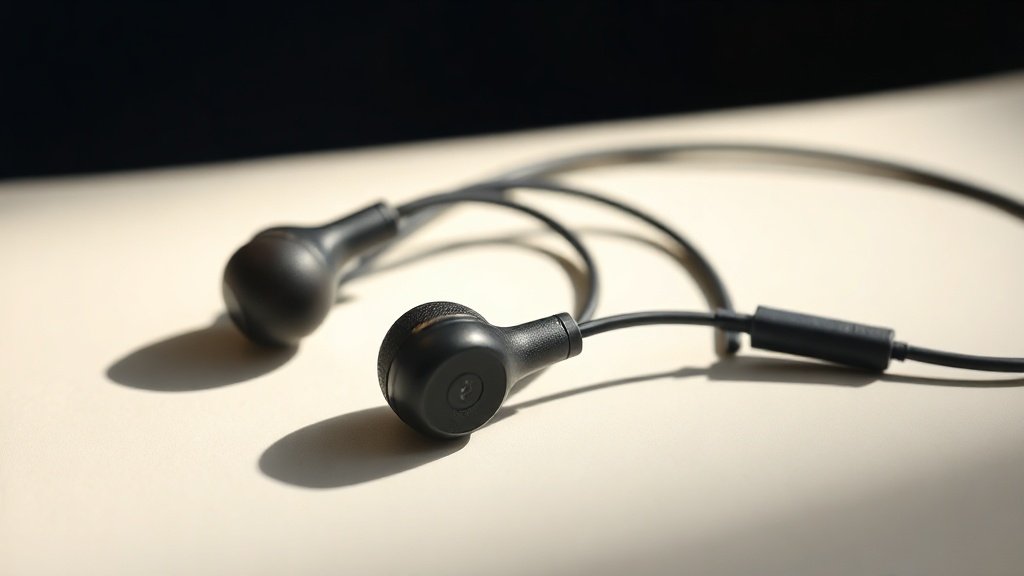
The difference between a confident performance and a train wreck on stage often comes down to what is sitting in the ears of the performer, not the wedges on the floor.
In-ear monitors have changed live performance more profoundly than almost any other piece of gear in the last three decades. Before IEMs became standard, performers relied entirely on floor wedges, which were loud, directional, and constantly fighting the front-of-house mix for sonic real estate. The shift to in-ear monitoring gave performers genuine control over what they hear, reduced stage volume dramatically, and made it possible for acts to tour with consistent, repeatable monitor mixes night after night.
This guide covers the practical decisions involved in choosing IEMs for live performance: driver configurations and what they actually mean, how passive isolation affects your hearing health and mix clarity, the difference between universal-fit and custom-moulded shells, what to look for in a wireless system, and how to work with a monitor engineer to get a mix that serves the performance rather than distracting from it.
Driver Types and What They Mean for Stage Use
The driver is the engine of an IEM. Dynamic drivers use a moving coil, much like a miniature loudspeaker, and they tend to produce a warmer low end with a natural sense of depth. They are less expensive to manufacture and are often found in entry-level and mid-range monitors. The Shure SE215 is a well-known single dynamic driver IEM that has been used on stages at every budget level for years. It is not the most technically precise option, but its forgiving low-end response and robust build make it a sensible starting point for performers new to in-ear monitoring.
Balanced armature drivers, by contrast, are the technology borrowed from hearing aid manufacture. They are smaller, faster, and capable of extraordinary detail retrieval, but a single balanced armature rarely covers the full frequency range convincingly. That is why multi-driver IEMs exist: one or more drivers handle lows, others handle mids, and a tweeter-style driver handles highs. The Westone Audio AM Pro X30 uses a three-driver configuration tuned specifically for stage use, with a resonance channel that keeps a small amount of ambient stage sound present so performers do not feel completely isolated from the room. The 64 Audio A series and the JH Audio Roxanne are examples of higher-end multi-driver monitors used by touring professionals where detail and frequency separation are critical.
Hybrid drivers combine a dynamic driver for low frequencies with balanced armatures for the rest of the spectrum. The goal is to retain the warmth and impact of dynamic bass while gaining the precision of armature midrange and treble. For performers who need to feel kick drum and bass guitar physically, a well-tuned hybrid can offer a genuine advantage over a pure armature design. The FiiO FH9 is a consumer hybrid that illustrates the concept well, though its tuning is shaped for listening rather than monitoring, which is a distinction worth understanding before buying.
Universal Fit Versus Custom Moulded Shells
Universal-fit IEMs come with an assortment of silicone and foam ear tips in various sizes. Getting a good seal is essential because passive isolation in an IEM depends entirely on how well the shell fills the ear canal. A poor seal does two things: it allows stage bleed to enter the ear, which forces performers to raise their monitor level to compensate, and it causes the low frequencies to collapse because bass response in a sealed canal is far more sensitive to fit than most people realise.
Foam tips, particularly triple-flange silicone options, generally outperform standard single-flange silicone for isolation in a live environment. The Comply foam tips are a widely used aftermarket option that improve both isolation and stability in universal IEMs. Experimenting with tip material is worth doing before spending money on custom shells, because sometimes a better tip solves the problem entirely.
Custom-moulded IEMs are made from impressions taken by an audiologist. The shell is built to the precise geometry of the individual ear, which produces a seal that is consistent, comfortable over long sets, and capable of 25 to 30 dB of passive attenuation. For a performer doing multiple shows a week, the investment in customs pays off in comfort and hearing protection alone. Companies such as Ultimate Ears, 64 Audio, JH Audio, and Sensaphonics produce custom monitors across a wide range of driver configurations and price points. The process takes two to four weeks from impression to delivery, so planning ahead before a tour is essential.
Passive isolation is not just a comfort feature; it is the mechanism that protects hearing and determines how low you can set your monitor level without losing the mix.
Isolation, Hearing Health, and Monitor Level
One of the strongest arguments for IEMs over wedge monitors is hearing preservation. A floor wedge running at 103 dB SPL to cut through a loud drum kit is doing real, cumulative damage to the performer standing in front of it. A well-fitted IEM can deliver the same perceived clarity at 85 to 90 dB because the noise floor of the stage has been reduced by 25 dB or more. The performer hears detail, not volume. Over a career, that difference is significant.
Isolation level varies considerably between products. Single-driver universals with foam tips might achieve 20 dB of attenuation. A well-fitted custom IEM from Sensaphonics, whose soft silicone shell is designed specifically for hearing conservation, can achieve up to 26 dB. That six-decibel difference halves the perceived loudness of stage bleed reaching the ear, which directly reduces the level the performer needs in the mix to stay above it.
There is also a psychological adjustment that performers going from wedges to IEMs need to account for. The combination of high isolation and bone conduction of the performer’s own voice can feel unnatural at first, sometimes described as singing inside one’s own head. Ambient IEM designs, such as those from Westone Audio with their resonance channel, or the use of a dedicated ambient mic mixed at low level into the in-ear send, address this directly. Getting a performer comfortable with that transition is as much a practical coaching task as a technical one.
Wireless Systems and the Signal Chain
An IEM does not operate in isolation. It sits at the end of a signal chain that runs from the mixing console through a monitor send, into a wireless transmitter, down to a bodypack receiver, and then into the IEM cable. Each stage of that chain can introduce noise, latency, or frequency coloration. Choosing a quality wireless system is therefore just as important as choosing the IEM itself.
The Shure PSM 900 and PSM 1000 are the industry benchmarks for professional touring wireless IEM systems. The PSM 1000 operates in the UHF band with 24-bit digital audio, stereo transmission, and a 98 dB dynamic range that preserves the full resolution of a quality mix. The Sennheiser EW IEM G4 system is a strong mid-tier option widely used by working musicians and smaller touring acts who need reliability without the full cost of the Shure flagship systems. For theatre and musical productions, the Audio-Technica M3 wireless system is frequently specified due to its compact bodypack form factor.
Latency is a genuine concern in digital wireless systems. A performer singing or playing an instrument hears the acoustic sound of their voice or instrument at the same time as the processed, wireless-transmitted version in the IEM. If that delay exceeds roughly 15 milliseconds, the comb filtering effect between the two signals becomes audible and distracting. The Shure PSM 1000 operates at under 2.9 milliseconds of system latency, which is well within the safe threshold. When evaluating a wireless system, published latency figures should be verified in context with any additional processing in the monitor chain.
Working With a Monitor Engineer to Build a Usable Mix
The most technically perfect IEM system is useless if the mix inside it does not serve the performer. A monitor mix is not a copy of the front-of-house mix: it is a personalised audio environment built around what the individual performer needs to hear in order to play or sing accurately and confidently. A vocalist typically needs their voice prominently featured, along with a clear reference pitch instrument such as piano or guitar, and just enough of the rhythm section to lock into tempo.
Communication between performer and monitor engineer is the entire foundation of getting this right. That conversation works best when the performer can describe what they need in functional terms rather than technical ones. Saying that the mix sounds muddy is less useful than saying the bass guitar is masking the kick drum, or that the reverb on the vocal return is too long and smearing the syllables. Monitor engineers are translating acoustic descriptions into EQ, level, and effects decisions, and the clearer the brief, the faster the mix gets usable.
For performers who are self-mixing via a personal monitor mixing system, the Hear Technologies Hear Back and the Roland M-48 Live Personal Mixer are two well-established options that allow individual control of mix elements without requiring a dedicated monitor engineer. These systems are commonly used in houses of worship, theatre pit orchestras, and mid-size touring productions where having a dedicated monitor engineer for every performer is not practical. Learning to use one of these units effectively takes time, but the return in mix quality and reduced rehearsal friction is substantial.
Impedance, Sensitivity, and Matching to a Bodypack
IEM impedance and sensitivity ratings determine how loud and how clean the output will be from a given bodypack transmitter or headphone amplifier. Most IEMs designed for stage use have low impedance, typically between 8 and 32 ohms, and high sensitivity, often above 100 dB per milliwatt. This makes them easy to drive from a battery-powered bodypack without requiring additional amplification. However, high sensitivity also means that noise in the signal chain, including hiss from a wireless receiver or ground loop interference, becomes clearly audible.
If you are experiencing audible hiss from a wireless bodypack with a high-sensitivity IEM, the first step is to check the output gain staging from the console send. Sending a hot signal into the transmitter with the bodypack volume set low is far preferable to sending a low-level signal and compensating with bodypack gain. The noise floor of the wireless system does not change with output volume; it only becomes proportionally louder when the signal level feeding it is too low.
Buying IEMs based on frequency response graphs without accounting for fit leads to consistently disappointing results. A graph measured in a standard coupler does not predict how a specific IEM will sound in your ear canal. Always evaluate fit and isolation alongside published measurements before committing to a model.
Treating a monitor mix as a scaled-down version of the front-of-house mix is one of the most common errors in stage monitoring. A monitor mix serves the performer’s ability to perform accurately, which almost always requires a different balance, different reverb settings, and sometimes entirely different elements compared to what the audience hears.
Neglecting the wireless system in favour of spending all the budget on the IEM itself creates a weak link in the chain that undermines the whole investment. A high-end custom IEM fed by a poor-quality wireless system with significant noise floor and latency issues will perform worse in practice than a mid-tier IEM driven by a professional-grade transmitter and receiver.
Conclusion
Choosing IEMs for live performance means making decisions across four interconnected areas: driver configuration and tuning, shell fit and passive isolation, wireless system quality and latency, and the monitor mix itself. Getting any one of these wrong undermines the others. Start with fit and isolation because they are foundational, invest in a wireless system that matches the level of the IEM, and spend time developing a monitor mix that genuinely serves the performance. Everything else follows from those three priorities.

FREE DOWNLOAD
Stop Guessing. Start Buying Smart.
The specs that actually matter, demystified.
Headphones, microphones, the spec sheet jargon you can ignore — all in one quick-reference PDF. Free, instant, no fluff.
Send Me the CheatsheetYou'll also receive occasional new guide notifications. Unsubscribe anytime. No spam, ever.