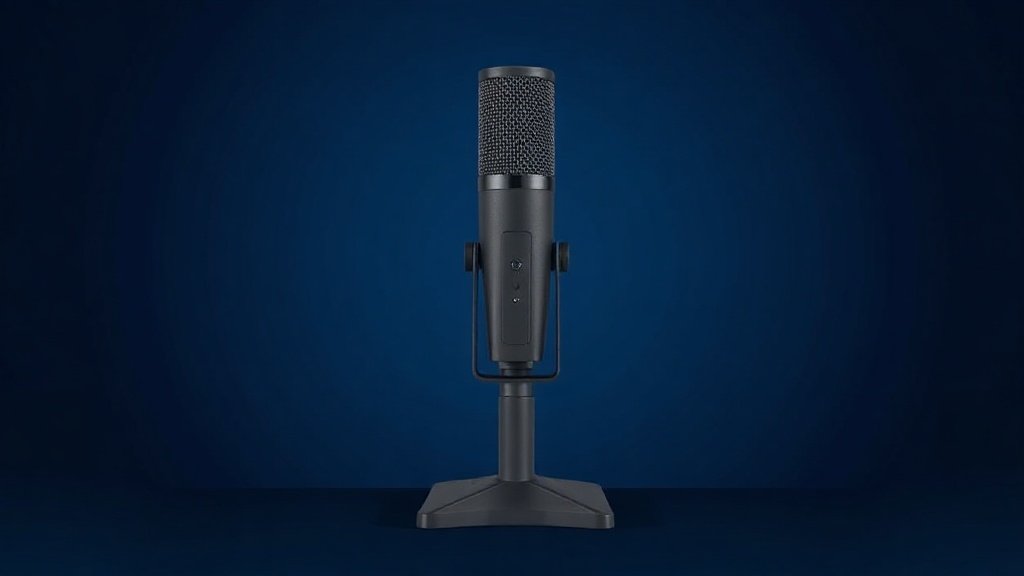
Your teammates shouldn’t have to guess what you’re saying. Whether you’re deep in a raid, live on Twitch, or recording a podcast between sessions, a bad microphone costs you credibility and kills immersion for everyone around you. The problem is that the mic market is flooded with gear that looks great in photos but sounds hollow in practice.
This guide cuts through the noise. We’ve taken a closed list of gaming-focused microphones available right now and ranked them honestly — by what they actually offer, who they suit, and where each one falls short. No filler, no padding, no products we couldn’t verify.
Whether you’re a newcomer who just wants to plug in and go, a streamer ready to step up to a proper setup, or a creator who wants RGB flair without sacrificing audio quality, there’s a pick here for you.
Best overall: Logitech G Yeti GX


The Logitech G Yeti GX is a dynamic USB microphone built specifically for gaming and streaming, and it makes that focus count. Dynamic microphones are known for rejecting background noise — fan hum, keyboard clatter, room echo — which makes the Yeti GX a strong choice for anyone who games in a less-than-ideal acoustic environment. You simply plug it in via USB and you’re away; no drivers, no audio interface required.
The Yeti GX carries Logitech’s LIGHTSYNC RGB system, so it integrates with the broader G ecosystem for those who want their setup to match. It uses a supercardioid pickup pattern, which means it’s tightly focused on what’s directly in front of it and naturally rejects sound from the sides and rear. That’s a genuine advantage in a noisy room, not just a selling point.
The limitation worth naming is that dynamic microphones, by their nature, tend to have a less airy, detailed top end compared with condenser alternatives. If you’re recording acoustic instruments or need pristine studio-style vocal capture, you’ll notice the difference. For voice, gaming comms, and streaming, though, it’s more than capable.
Buy this if: you stream or game in a room with background noise and want a reliable plug-and-play dynamic mic with full RGB integration.
Best for complete streaming setups: FIFINE AmpliGame KS5 Bundle

The FIFINE AmpliGame KS5 bundle is the only option on this list that pairs a dynamic XLR/USB gaming microphone with a dedicated streaming audio mixer, and that changes the conversation entirely. Rather than buying a mic and an interface separately, you get a coordinated kit designed to work together out of the box. It’s aimed squarely at streamers and podcasters who want a more professional signal chain without the research overhead of building one piece by piece.
The inclusion of a mixer with volume fader and XLR interface gives you hands-on control that a standard USB-only mic simply can’t match. Being able to adjust levels in real time — without tabbing out of your game or fiddling with software — is a practical upgrade for anyone going live regularly. The RGB gamer aesthetic is baked in, keeping the setup visually cohesive on camera.
The trade-off is complexity. A bundle like this has more components to set up, more cables to manage, and a steeper initial learning curve than a single USB mic. If you just want to plug something in and forget about it, this isn’t your pick. But if you’re ready to invest a little time in your setup, the KS5 bundle offers a meaningful step forward.
Buy this if: you’re building a streaming or podcasting desk and want a mic-plus-mixer bundle that’s designed to work together from day one.
Best value: FIFINE AmpliGame AM8T

The FIFINE AmpliGame AM8T is a dynamic XLR/USB microphone kit that arrives with a boom arm stand already in the box, which is a genuinely useful inclusion. Most microphone buyers end up purchasing a stand anyway, so having one bundled in reduces the out-of-pocket total and the time spent sourcing compatible hardware. The AM8T also includes a mute button and a headphones jack for direct monitoring — features that matter once you’re actually in the middle of a stream or recording session.
As a dynamic microphone, the AM8T handles background noise sensibly, making it a practical choice for gaming setups that aren’t acoustically treated. The dual XLR/USB connectivity means you can start using it straight away over USB and upgrade to an audio interface later without replacing the mic itself. That kind of forward compatibility is smart for anyone who’s still building out their rig.
The honest limitation is that the bundled boom arm is unlikely to match the build quality of a standalone arm from a dedicated brand. It’ll do the job, but heavy-duty daily use over a long period may reveal its limits. Think of the arm as a head start, not a permanent fixture.
Buy this if: you want a capable dynamic gaming mic with a boom arm and monitoring jack included, and you’d like the option to go XLR in future.
Best budget pick: FIFINE AmpliGame AM8

The FIFINE AmpliGame AM8 covers the essentials without overcomplicating things. It’s a dual USB/XLR dynamic microphone for PC gaming and streaming, offering RGB lighting, a mute button, a headphones jack for monitoring, and a desktop stand — all at a price point that sits below the more fully specced options on this list. For someone just starting out with streaming or gaming audio, it’s a sensible entry point.
The dynamic capsule means it handles moderate background noise reasonably well, and the USB connection keeps setup friction low. If you later decide to invest in an audio interface, the XLR output gives you a clear upgrade path without having to bin the microphone itself. That flexibility is worth noting even at the budget end of the market.
What you give up relative to the AM8T is the boom arm — you get a desktop stand instead, which limits positioning options. For desk setups where space is tight or you prefer a mic closer to mouth height, a boom arm eventually becomes worth the extra spend. Still, as a first gaming microphone, the AM8 is hard to argue with.
Buy this if: you’re new to streaming or gaming audio and want a no-fuss dynamic mic with USB and XLR options at the lowest reasonable price.
Best condenser option: Logitech G Yeti Orb

The Logitech G Yeti Orb is a condenser USB microphone with LIGHTSYNC RGB, designed for streaming and gaming from a plug-and-play USB connection. Condenser microphones pick up sound with greater sensitivity and detail than dynamic mics, which makes the Yeti Orb a strong choice if you’re in a quieter, more controlled environment and you want your voice to sound full and present on stream. It uses a cardioid pickup pattern, focused on capturing what’s directly in front of it.
The LIGHTSYNC RGB integration puts the Yeti Orb firmly in Logitech’s G ecosystem, and the clean off-white finish gives it a look that holds up well on camera. For creators who care about aesthetics alongside audio quality, it’s a considered combination. Setup is genuinely plug-and-play — no interface, no drivers needed.
The limitation, as with any condenser mic, is that it’s more sensitive to room noise. Air conditioning, keyboard noise, and fan hum are all more likely to creep in compared with a dynamic mic. If your gaming space isn’t acoustically tidy, you’ll want to address that before leaning on a condenser.
Buy this if: you game or stream in a quiet room and want a detailed, sensitive condenser mic with full Logitech RGB integration.
Best established name: Logitech Creators Blue Yeti

The Blue Yeti has been a reference point in the USB microphone world for years, and the Logitech Creators version keeps that reputation intact. It’s a condenser mic for PC, Mac, gaming, streaming, and podcasting, and its headline feature is a choice of four pickup patterns — cardioid, bidirectional, omnidirectional, and stereo. That’s rare at this level, and it makes the Blue Yeti genuinely versatile across different recording scenarios: solo streaming, two-person podcasts, and ambient recording alike.
Blue VO!CE effects processing is built in, giving you real-time tools to shape and enhance your vocal sound without needing third-party software. For anyone who wants their voice to sound polished on stream without a steep learning curve, that’s a meaningful addition. It plugs in via USB and works on both Mac and PC with no driver installation.
The Blue Yeti is larger and heavier than most competitors, which can limit desk positioning and may require a sturdier stand or arm than the one it ships with. It’s also a condenser, so it benefits from a quiet room. These are manageable trade-offs for the audio versatility it offers, but worth knowing before you buy.
Buy this if: you want a proven, versatile condenser mic with multiple pickup patterns and built-in voice effects for streaming, podcasting, or recording.
How to choose your gaming microphone
Dynamic vs condenser: Dynamic microphones reject background noise better and suit noisy gaming setups, busy rooms, or desks with loud mechanical keyboards. Condenser microphones are more sensitive and capture more detail, but they pick up everything — room noise included. Be honest about your environment before choosing.
USB vs XLR: USB microphones plug directly into your PC and require no additional hardware. They’re ideal for beginners and anyone who wants a simple setup. XLR microphones connect via an audio interface, giving you better signal quality and more control — but they cost more overall and have more components to manage. Dual USB/XLR mics, like several options above, let you start simple and upgrade later.
Pickup pattern: Most gaming mics use a cardioid or supercardioid pattern, which captures sound from the front and rejects the sides and rear. That’s the right choice for solo streaming. If you’re podcasting with a guest or need to capture a wider soundstage, look for a mic with multiple pattern options, as the Blue Yeti offers.
Bundled accessories: A mic that arrives with a boom arm, stand, or mixer may cost more upfront but save money overall. Factor in what you’d spend on accessories separately before dismissing a bundle as expensive.
RGB and aesthetics: RGB lighting is a genuine consideration if your stream setup is visible on camera. It’s not purely decorative — a cohesive look can lift production value. But never let RGB be the deciding factor if the core audio quality doesn’t meet your needs first.
Frequently asked questions
Do I need an audio interface for a gaming microphone?
Not if you choose a USB microphone. USB mics plug straight into your PC and work immediately. XLR microphones do require an audio interface, but several mics on this list offer both connections, so you can start on USB and add an interface later without replacing the mic.
Is a dynamic or condenser mic better for gaming?
Dynamic mics are generally better for gaming because they reject background noise more effectively — fans, keyboards, and room echo are less likely to bleed through. Condenser mics sound more detailed but require a quieter environment to perform well. Both types are represented in this guide, so match your choice to your actual setup.
What’s the difference between cardioid and supercardioid pickup patterns?
Cardioid mics capture a wider arc of sound from the front. Supercardioid mics are more tightly focused, rejecting even more sound from the sides. Both work well for solo streaming; supercardioid is the stricter option if you have significant noise coming from the edges of your recording space.
Will a gaming microphone work for podcasting too?
Yes, in most cases. Many of the mics on this list are explicitly designed for both gaming and podcasting. The key difference is whether you need to capture more than one person — for two-person podcasts, a mic with multiple pickup patterns or a dedicated setup with two mics will serve you better than a single cardioid.
How important is a mute button on a gaming microphone?
Very, once you’ve used one. Being able to cut your mic instantly — for a cough, a doorbell, or a private conversation — without alt-tabbing out of your game or reaching into software is a practical quality-of-life upgrade. Most of the mics on this list include one, and it’s worth prioritising if you stream or game with others regularly.
The verdict
For most streamers and gamers, the Logitech G Yeti GX is the best all-round choice: a dynamic USB mic that handles real-world noise, integrates with Logitech’s RGB ecosystem, and simply works. If you’re looking for the most value-packed entry into the gaming mic world with room to grow, the FIFINE AmpliGame AM8T delivers a strong feature set — boom arm included — at a price that leaves budget for the rest of your setup.
For more, browse all our reviews and roundups.
AudioTechExpert is reader-supported. This article contains affiliate links, and we may earn a commission on qualifying purchases at no extra cost to you.
