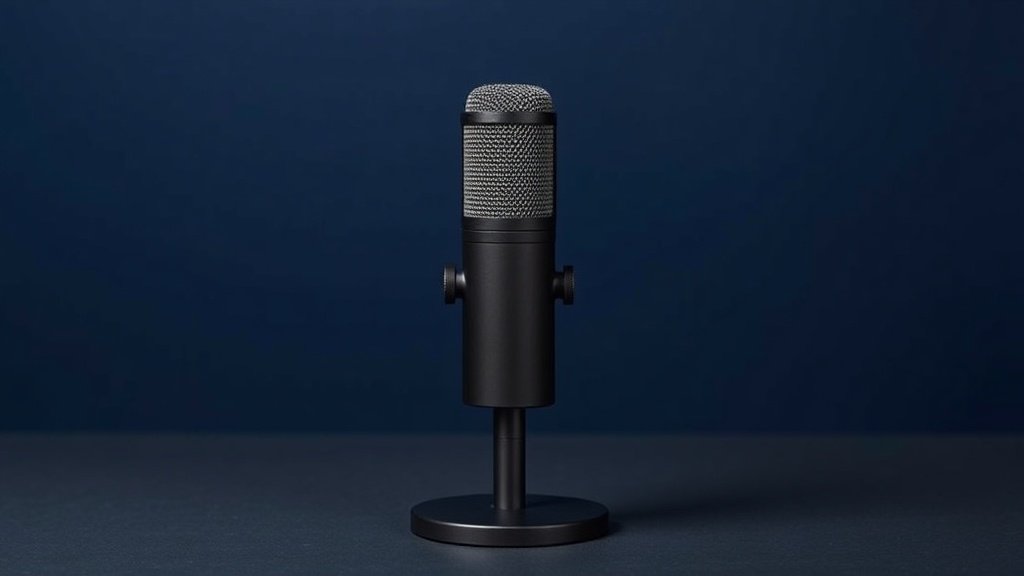
Getting your podcast to sound professional is less about a fancy studio and more about choosing the right microphone. A poor-sounding mic will undermine even the sharpest content, while the right one makes every episode feel polished from the first word. The problem is the market is flooded with options that all promise broadcast quality, and most buyers end up either overspending on features they never use or underspending on something that sounds hollow and harsh.
This guide cuts through the noise. We have picked the best podcasting microphones available right now, covering USB plug-and-play options, dual-output XLR/USB hybrids, and full starter bundles. Whether you are recording your first episode at a kitchen table or upgrading a home studio, there is a recommendation here that fits your setup and your budget.
Every pick below has been chosen for real-world podcasting use: voice clarity, ease of setup, and honest value for money. We have also flagged the one genuine limitation of each so you know exactly what you are committing to.
Best overall: Shure MV7+

The Shure MV7+ is the standout all-rounder in this list. It is a dynamic microphone that offers both USB-C and XLR outputs, meaning it works directly with your laptop today and slots straight into a proper audio interface if you upgrade your setup later. That dual-output flexibility is rare, and it makes the MV7+ genuinely future-proof in a way that pure USB mics are not.
Shure has added an LED panel for at-a-glance monitoring, a digital pop filter to reduce plosive sounds without a physical foam cap, and an Auto Level Mode that adjusts your gain automatically — a genuinely useful feature for solo podcasters who are also trying to hit record, manage notes, and talk at the same time. It carries OBS certification, so streamers who double up as podcasters will find it integrates cleanly with their existing broadcast software.
The one real limitation is price: the MV7+ sits at the upper end of the consumer range, and if you only ever plan to record straight to USB, some of that cost is going towards XLR capability you may never use. But for anyone who takes podcasting seriously, it is the single mic on this list that grows with you.
Buy this if: you want a professional-grade dynamic mic that handles both USB and XLR, with smart onboard controls that make solo recording easier.
Best premium: RØDE NT1 Signature Series
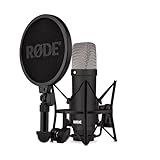

The RØDE NT1 Signature Series is a large-diaphragm condenser microphone aimed squarely at podcasters and musicians who want studio-quality vocal capture. It connects via XLR, ships with a shock mount, pop filter, and XLR cable in the box, which means you are not hunting for accessories before your first recording session. That included bundle is a genuine differentiator at this tier.
Large-diaphragm condensers are prized for capturing the full warmth and texture of a voice, and the NT1 has a long-standing reputation for doing exactly that. If your podcast depends on voice quality — interviews, narrative storytelling, commentary — this is the microphone that will make the biggest audible difference compared to anything else on this list.
The limitation worth naming is that a condenser microphone picks up more ambient sound than a dynamic mic. In a treated room or a quiet home office it excels, but in a lively environment with background noise, air conditioning, or street sound bleeding in, you may find yourself fighting the room more than you would with the dynamic options here.
Buy this if: you record in a quiet, reasonably treated space and want the richest, most studio-like vocal quality available in this roundup.
Best for streaming and podcasting combined: Elgato Wave:3 MK.2

The Elgato Wave:3 MK.2 is a USB condenser microphone built with streamers and podcasters equally in mind. It connects via USB and works on both PC and Mac without driver installation, keeping setup friction to a minimum. What sets it apart from simpler USB mics is its onboard processing suite: Clipguard 2.0 protects your recordings from sudden loud peaks that would otherwise cause distortion, and the Wave FX Processor handles digital signal processing directly on the hardware rather than leaning entirely on your computer.
VST insert support is a meaningful addition for anyone who wants to apply noise gates, compressors, or EQ in real time. These are tools that were previously limited to XLR rigs with dedicated interfaces, and having them accessible on a USB microphone narrows the gap between the two worlds considerably. The onboard DSP means less CPU load on your machine during live sessions.
The honest limitation is that condenser capsules like those used in the Wave:3 MK.2 reward a quiet recording environment. If your workspace has consistent background noise, the increased sensitivity that gives condensers their detail can work against you. Pair it with a treated corner or acoustic panels for best results.
Buy this if: you split your time between streaming and podcasting and want onboard DSP, Clipguard protection, and VST support in a single USB mic.
Best XLR condenser value: Audio-Technica AT2035

The Audio-Technica AT2035 is a cardioid condenser microphone with XLR output, and it is one of the most enduring recommendations in home studio and podcasting circles for good reason. It ships with a custom shock mount, which reduces vibration and handling noise — a practical inclusion that cheaper condensers routinely omit. The AT2035 is explicitly marketed for studio, podcasting, and streaming use, so its design priorities are well aligned with what podcast hosts actually need.
Its cardioid pickup pattern means it captures sound predominantly from the front while rejecting noise from the sides and rear. That makes it a sensible choice for home setups where you cannot fully control the acoustic environment. Pair it with an audio interface and you have a genuinely capable foundation for professional-sounding episodes.
The limitation is that the XLR connection requires an audio interface or mixer — it will not plug directly into a USB port. That is an additional upfront cost if you do not already own interface hardware. For those already set up with an interface, however, the AT2035 represents exceptional quality for its position on the market.
Buy this if: you already own or plan to buy an audio interface and want a cardioid condenser that has proven itself across years of podcasting and home studio use.
Best plug-and-play USB mic: Logitech Blue Yeti Nano
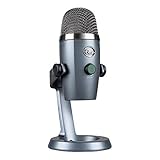
The Blue Yeti Nano is the most straightforward pick on this list. It connects via USB, works with both PC and Mac, and requires no drivers, no interface, and no configuration to get started. Plug it in, open your recording software, and you are live. That simplicity makes it the natural recommendation for anyone recording their first episodes or anyone who simply does not want to think about signal chains and gain staging.
It is positioned as the compact sibling in the Blue Yeti family, making it a good fit for smaller desks and travel setups where space matters. As a USB condenser, it captures vocal detail well in a controlled environment, and its straightforward design means less to go wrong during a live session.
The trade-off for that simplicity is ceiling: the Yeti Nano does not offer XLR output, so if you decide later that you want to grow into a proper interface-based setup, you will need to replace it rather than adapt it. It is also a condenser, so a quiet recording space will always serve you better than a noisy one.
Buy this if: you want the fastest, most hassle-free path to recording decent-sounding podcast audio with zero technical setup required.
Best budget bundle: ALSO GO BM-800 Bundle

The ALSO GO podcast equipment bundle pairs a BM-800 condenser microphone with an F998 sound card, giving beginners everything they need to start recording in a single purchase. If you are new to podcasting and do not want to research microphones, audio interfaces, and cables separately, a bundle like this removes the guesswork entirely. It is aimed at podcasting, singing, gaming, and live streaming, which tells you it is designed for versatility rather than any single specialised use.
The included sound card means you do not need to source separate interface hardware — the bundle is genuinely self-contained out of the box. For YouTube, TikTok, and social streaming where broadcast-quality audio is a bonus rather than a requirement, it delivers credible results at an entry-level price point.
The honest limitation is that entry-level bundles involve compromises at every component level. Neither the microphone nor the sound card will match the quality of the dedicated single-component picks higher up this list. If your podcast is growing and audience retention is a priority, treat this as a starting point rather than a long-term solution.
Buy this if: you are an absolute beginner who wants a complete, ready-to-record podcasting setup at the lowest possible entry cost.
How to choose your podcasting microphone
USB vs XLR: USB microphones plug directly into your computer and are the simpler, lower-cost route. XLR microphones require an audio interface or mixer but typically offer better audio quality and more upgrade flexibility. If you are just starting out, USB is sensible. If you are investing in a setup you want to use for years, XLR with a decent interface is worth the extra step.
Dynamic vs condenser: Dynamic microphones are more forgiving in noisy or untreated rooms because they are less sensitive to ambient sound. Condenser microphones capture more detail and warmth, but that same sensitivity means they also pick up room noise, air conditioning, and background sound more readily. For home recordings in typical rooms, a dynamic mic often delivers more consistent results than a condenser would in the same space.
Onboard processing and controls: Features like mute buttons, gain knobs, headphone monitoring jacks, and auto level modes are not gimmicks — they genuinely reduce friction during solo recording sessions. If you are hosting and producing your own show, these quality-of-life features matter more than they might at first appear.
Bundles vs standalone mics: Bundles save you the effort of pairing components yourself and often cost less than buying items separately. The trade-off is that individual components in a bundle rarely match the quality of standalone equivalents at the same price. Bundles are ideal for beginners; standalone mics are better for anyone who wants to optimise each part of the chain independently.
Room treatment: No microphone overcomes a genuinely bad acoustic environment. Even a premium condenser will sound hollow and echoey in an untreated room. Before spending more on a microphone, consider whether some basic acoustic treatment — even a duvet behind you or a wardrobe full of clothes — might deliver more audible improvement than a hardware upgrade.
Frequently asked questions
Do I need an audio interface to start podcasting?
No — if you choose a USB microphone such as the Blue Yeti Nano, the Elgato Wave:3 MK.2, or the Shure MV7+ in USB mode, you plug directly into your computer and record without any additional hardware. An audio interface only becomes necessary if you choose an XLR-only microphone such as the RØDE NT1 or the Audio-Technica AT2035.
Is a condenser or dynamic microphone better for podcasting?
Both work well, but for different environments. Dynamic microphones handle background noise better and suit typical home offices. Condenser microphones capture richer vocal detail but reward quiet, treated rooms. Choose based on your recording space rather than on which type sounds more professional in theory.
What is the advantage of a microphone with both USB and XLR outputs?
Dual-output microphones, like the Shure MV7+, let you record directly to a computer via USB now, and connect to a professional audio interface or mixer via XLR later. This protects your investment as your setup evolves, since you do not need to replace the microphone when you upgrade the rest of your gear.
Can I use a podcasting microphone for music recording as well?
Yes. Several picks here are explicitly designed for music production as well as podcasting. The RØDE NT1 Signature Series and the Audio-Technica AT2035, for example, are both suited to vocal and instrument recording. If you want one microphone that covers podcasting and music, either of those is a strong dual-purpose choice.
How much should I spend on my first podcasting microphone?
An entry-level bundle gives you a workable starting point at minimal cost. A mid-range USB mic like the Blue Yeti Nano or the Shure MV6 is a meaningful step up in quality. The premium picks — the Shure MV7+, the Elgato Wave:3 MK.2, and the RØDE NT1 — are for podcasters who are committed to the format and want audio that holds up alongside professionally produced shows. Start at the level that matches your current commitment to the project.
The verdict
The Shure MV7+ is the best overall podcasting microphone in this roundup: its dual USB-C and XLR outputs, onboard LED controls, digital pop filter, and Auto Level Mode make it the most capable and flexible single purchase here. For best value, the Blue Yeti Nano delivers reliable plug-and-play USB audio with zero setup complexity, making it the smartest choice for anyone who wants to start recording immediately without spending at the premium tier.
For more, browse all our reviews and roundups.
AudioTechExpert is reader-supported. This article contains affiliate links, and we may earn a commission on qualifying purchases at no extra cost to you.
