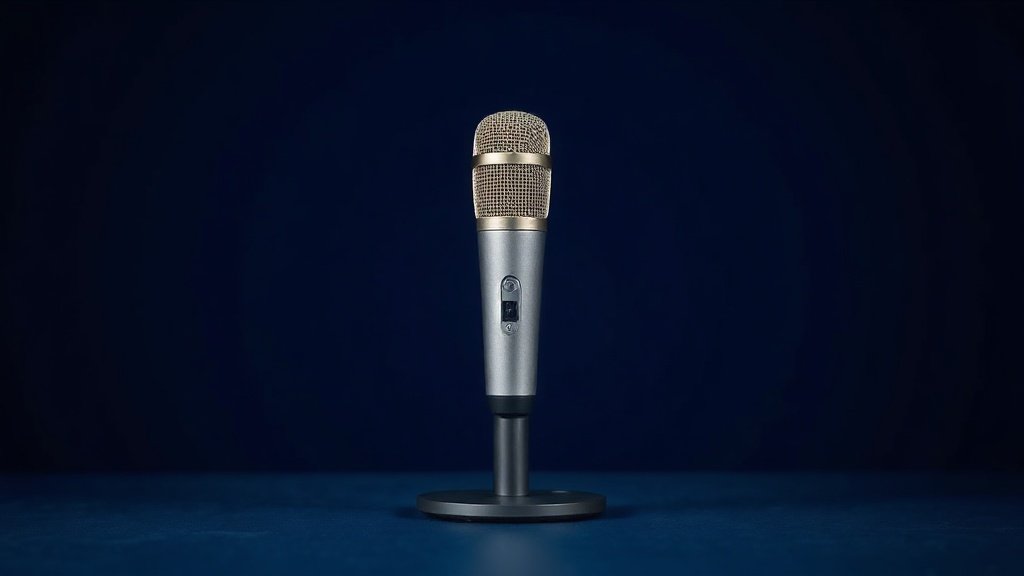
Finding a decent microphone for streaming feels harder than it should be. There are dozens of options, every brand promises ‘studio quality,’ and the spec sheets are written in a language only audio engineers understand. What you actually need is simple: a mic that makes your voice sound clear, does not pick up your mechanical keyboard from across the desk, and does not require a degree in audio engineering to set up.
This guide cuts through that noise. We have compared and ranked the best streaming microphones available right now, covering everything from plug-and-play USB mics for first-time streamers to more capable options for creators who want a bit more control over their sound. Whether you are on Twitch, YouTube, or running a podcast on the side, there is something here for you.
All picks below are USB or XLR condenser microphones suited to desktop streaming setups. We have ranked them by overall performance, ease of use, and value — not by whoever paid the most for a banner ad.
Best overall: Blue Yeti USB Microphone


The Blue Yeti is the default streaming-mic recommendation for a reason: it sounds a big step up from any headset or webcam mic and needs nothing but a USB port. Inside are three 14 mm condenser capsules, which let you switch between four pickup patterns — cardioid for solo streaming, bidirectional for a co-host, omnidirectional for a room, stereo for music — from a dial on the body. It records at 48 kHz / 16-bit across a 20 Hz–20 kHz range, has a headphone jack for zero-latency monitoring, and is genuinely plug-and-play on PC or Mac.
The built-in Blue VO!CE effects suite is a standout feature. It lets you add real-time voice processing — things like background noise reduction, compression, and de-essing — directly through the Logitech G Hub software. For streamers who want to sound polished without buying separate audio software, that is a real advantage. The Midnight Blue finish also looks smart on camera.
The honest limitation is size and weight. The Blue Yeti is a big microphone on a hefty stand, and it takes up a meaningful chunk of desk space. If your setup is compact, that is worth factoring in. It also picks up room noise fairly easily if you are not in a treated space, so positioning matters.
Buy this if: you want one versatile microphone that handles streaming, podcasting, and gaming equally well without any complicated setup.
Best for serious streamers: Elgato Wave:3 MK.2

The Elgato Wave:3 MK.2 is the updated version of one of the most streamer-friendly microphones ever made, and the improvements are meaningful. It is a premium USB condenser microphone built specifically with streaming and podcasting in mind, and every design decision reflects that focus. The Wave FX Processor and onboard DSP mean your voice is being processed in real time at the hardware level, not just in software, which leads to a more consistent result.
Clipguard 2.0 is the feature that sets this apart from most competitors. It uses a secondary capsule to catch audio that would otherwise clip and distort — the kind of thing that happens when you shout during a tense game moment. The result is that your loudest moments still sound clean. VST insert support is a bonus for creators who already use professional audio plugins, giving you a path to expand your sound design without swapping hardware.
The limitation here is that you get the most out of this microphone when you invest time in the Elgato Wave Link software. Out of the box it sounds great, but the deeper integration with the Elgato ecosystem — stream decks, Wave Link mixing — rewards those already in that world. If you are using a different ecosystem entirely, some of the appeal is lost.
Buy this if: you are a dedicated streamer who wants broadcast-quality audio processing, smart clip protection, and room to grow into more advanced audio routing.
Best USB mic for gaming setups: SteelSeries Alias

The SteelSeries Alias takes a different approach to the streaming microphone market. Instead of a standard-sized capsule, SteelSeries built this around a capsule that is significantly larger than what most USB mics in this category use — the title explicitly mentions it being three times bigger. In practice, a larger capsule generally captures more detail and handles a wider range of voices more naturally, which is a meaningful engineering choice rather than a marketing bullet point.
The Alias also ships with SteelSeries Sonar for Streamers software, which gives you genuine multi-channel audio routing — separating game audio, voice chat, microphone input, and music into independent streams that your broadcasting software can handle separately. The AI noise cancellation helps keep keyboard and mouse clicks out of your stream, and the LED mute button with level monitoring means you always know your mic status at a glance. It even includes a shock mount in the box, which is a thoughtful inclusion.
The trade-off is that the Sonar software is Windows-centric, and Mac support is more limited. If you stream from a Mac, you will lose access to some of the software’s more useful features, which diminishes the overall value of the package somewhat.
Buy this if: you are a PC gamer who wants serious audio routing control and a physically larger capsule without jumping to an XLR setup.
Best with RGB lighting: HyperX QuadCast 2 S

The HyperX QuadCast 2 S is aimed squarely at streamers who want their setup to look as good as it sounds. The RGB lighting is programmable and visible through the mic body, and it doubles as a functional status indicator — the LED changes when the mic is muted, so you always know whether you are live. That combination of aesthetics and utility is well thought through for an on-camera setup.
Beyond the visuals, the QuadCast 2 S is a capable USB condenser microphone with on-board controls, a removable shock mount included in the box, and USB-C connectivity — a welcome upgrade over older micro-USB designs. It works on both PC and Mac, and the plug-and-play nature means it is ready to go in seconds. The on-board controls let you adjust gain and switch to mute without touching your software.
The limitation is that the RGB and lighting features add to the visual footprint of the microphone, and if you ever decide the lighting is not for you, you cannot really switch it off entirely without going into software. It is also a heavier microphone, so cheaper third-party arms may struggle with the weight over time.
Buy this if: you want an RGB-lit streaming microphone that looks great on camera and comes with a shock mount already included.
Best budget pick: Blue Yeti Nano
The Blue Yeti Nano is essentially a more compact, more affordable take on the Blue Yeti formula. It is made by the same Logitech Creators team, connects via USB, and works immediately on PC and Mac without any driver installation. For streamers who want the trusted Blue Yeti sound quality but need something smaller — or who are just starting out and do not want to spend heavily — the Nano is the most sensible starting point on this list.
It is designed for Twitch, YouTube, Discord, and general recording tasks, and it handles all of those scenarios well for what it costs. The Shadow Grey finish is understated and camera-friendly, and the smaller footprint means it takes up considerably less desk space than the full-size Yeti. Plug it in, open your streaming software, select it as the input device, and you are broadcasting.
The honest limitation is that the Nano offers fewer pickup pattern options than the full Blue Yeti, which means less flexibility if your recording needs change over time. It is optimised for solo use, and if you later want to record multiple people or a wider sound source, you will likely outgrow it.
Buy this if: you are new to streaming and want a reliable, compact, plug-and-play microphone from a trusted brand without paying full flagship prices.
Best XLR option: Audio-Technica AT2035

The Audio-Technica AT2035 is the only XLR microphone on this list, and it is here because it represents a genuine quality step up for streamers who are ready to invest in a proper audio interface setup. Unlike the USB mics above, the AT2035 outputs via XLR — meaning you will need an audio interface to connect it to your computer. That is an extra purchase, but the payoff is noticeably cleaner audio and far more control over your signal chain.
It is a cardioid condenser microphone, which means it is optimised for capturing a single source directly in front of it — ideal for a solo streamer speaking into a mic at a desk. It ships with a custom shock mount, which helps isolate it from desk vibrations and handling noise. Audio-Technica has a long-standing reputation in professional recording environments, and the AT2035 benefits from that engineering pedigree.
The limitation is the barrier to entry. You cannot just plug this into a USB port and go live. You need an audio interface, and ideally a mic arm and acoustic treatment as well to get the best from it. For complete beginners, the setup cost and complexity may not be worth it. But for streamers who have outgrown USB mics and want a more professional signal chain, this is the natural next step.
Buy this if: you already have or plan to buy an audio interface and want a significant audio quality upgrade over any USB microphone on this list.
How to choose your streaming microphone
USB vs XLR: For most streamers, USB is the right choice. You plug it in and it works — no extra hardware required. XLR microphones like the AT2035 offer better audio quality and more professional control, but they require a separate audio interface, which adds cost and complexity. Start with USB unless you already know you want an XLR workflow.
Pickup patterns: Most streaming microphones use a cardioid pattern, which captures sound from directly in front and rejects noise from the sides and rear. That is what you want for solo streaming. Some microphones, like the full Blue Yeti, offer multiple patterns — useful if you ever want to record a guest or capture room ambience. If you will always be the only voice, a single cardioid pattern is sufficient.
Onboard controls and software: Microphones with physical gain knobs, mute buttons, and headphone monitoring jacks give you faster control during a live stream. Software like Blue VO!CE, Elgato Wave Link, or SteelSeries Sonar can add real-time processing, but that value only applies if you actually use the software. Do not pay a premium for a software ecosystem you will not engage with.
Desk space and mounting: A microphone that comes with its own stand is convenient, but many streamers eventually move to a boom arm for better positioning and a cleaner desk. Check whether your preferred mic is compatible with standard arm fittings. Shock mounts — some included, some sold separately — help reduce the thud of typing or desk knocks bleeding into your audio.
Room acoustics: No microphone can fully compensate for a reverberant room. If you are streaming in a bare room with hard walls, consider soft furnishings, acoustic panels, or at minimum positioning yourself close to the microphone. AI noise cancellation features help with background noise, but room echo is a different problem that starts with the room itself.
Frequently asked questions
Do I need an audio interface for streaming?
Not if you use a USB microphone. All the USB picks on this list connect directly to your PC or Mac and are recognised as audio input devices immediately. You only need an audio interface if you choose an XLR microphone, such as the Audio-Technica AT2035.
Is a condenser microphone better than a dynamic microphone for streaming?
Condenser microphones are generally more sensitive and capture a more detailed, open sound — great for streaming in quieter environments. Dynamic microphones are less sensitive and reject more background noise, making them better for louder or less-treated rooms. Most USB streaming mics are condensers. The Logitech G Yeti GX is a notable exception on the market as a dynamic design.
What is a pickup pattern and why does it matter?
A pickup pattern describes which directions a microphone is sensitive to. Cardioid means it primarily captures sound from the front. This is ideal for solo streaming because it helps reject keyboard noise, fan hum, and other sounds coming from behind or beside the mic. Some microphones offer multiple patterns for more flexibility.
Can I use a streaming microphone for podcasting too?
Yes — almost all the microphones on this list are explicitly designed for both streaming and podcasting. The Blue Yeti, Elgato Wave:3 MK.2, and HyperX QuadCast 2 S are all well suited to recording podcast episodes, whether solo or with a guest. XLR microphones like the AT2035 are especially well regarded in podcasting circles.
Does RGB lighting on a microphone affect audio quality?
No. RGB lighting is entirely cosmetic and has no effect on how the microphone captures sound. It is a feature for on-camera aesthetics and quick visual feedback — for example, knowing at a glance whether your mic is muted. If you do not care about the look, you can simply ignore it.
The verdict
For most streamers, the Blue Yeti remains the best overall pick — versatile, polished-sounding, and backed by a mature software ecosystem. If you want to step up to a more advanced streaming-specific setup, the Elgato Wave:3 MK.2 is the best-value choice for creators who stream regularly and want real broadcast-grade processing built in.
For more, browse all our reviews and roundups.
AudioTechExpert is reader-supported. This article contains affiliate links, and we may earn a commission on qualifying purchases at no extra cost to you.
