Phantom power sounds mysterious but it is simply 48 volts of electricity sent through your microphone cable to power condensers that cannot work without it.
Phantom power provides the electrical energy that condenser microphones need to operate their internal electronics. Without this power source, most studio condensers would remain completely silent no matter how loudly you sing or speak into them.
This guide explains exactly what phantom power does, which microphones require it, how to provide it safely, and the common mistakes that can damage your equipment or ruin your recordings.
How Phantom Power Actually Works
Phantom power sends 48 volts of direct current through pins 2 and 3 of an XLR cable, using pin 1 as the return path. The term phantom refers to how this power travels invisibly alongside your audio signal without interfering with the sound quality. Your audio interface, mixing desk, or standalone phantom power supply generates this voltage and delivers it through the same three-pin XLR connection that carries your audio.
The system works because condenser microphones need electricity to charge their capacitor plates and power their internal preamplifier circuits. When you connect a condenser to phantom power, the microphone draws only the current it needs whilst the 48-volt potential remains constant. Most condensers consume between 2 and 10 milliamps of current, which explains why a single phantom power supply can run multiple microphones simultaneously.
Professional audio equipment follows the IEC 61938 standard, which specifies 48 volts plus or minus 4 volts delivered through 6.8k ohm resistors. This standardisation means a Neumann U87 will work perfectly whether you connect it to a Focusrite Scarlett Solo, a SSL mixing console, or a Sound Devices field recorder.
Which Microphones Need Phantom Power
All true condenser microphones require phantom power to function. This includes large diaphragm studio condensers like the Audio-Technica AT2020, small diaphragm pencil condensers such as the AKG C451 B, and shotgun microphones like the Rode NTG3. The Neumann TLM 103, Shure SM27, and AKG C414 XLII all depend entirely on phantom power for operation.
Electret condenser microphones, which include most lavalier and headset microphones, contain a permanently charged capsule but still need phantom power or battery power for their internal electronics. Some electret microphones like certain Countryman and DPA models can operate on lower voltages, but 48-volt phantom power works reliably with all of them.
Dynamic microphones such as the Shure SM57, SM58, and Electro-Voice RE20 generate their own electrical signal through electromagnetic induction and never require phantom power. Ribbon microphones like the Royer R-121 or AEA R84 also generate their own signal, though some active ribbon designs do need phantom power for their built-in electronics.
Phantom power travels invisibly through XLR cables without affecting your audio signal quality.
Sources of Phantom Power
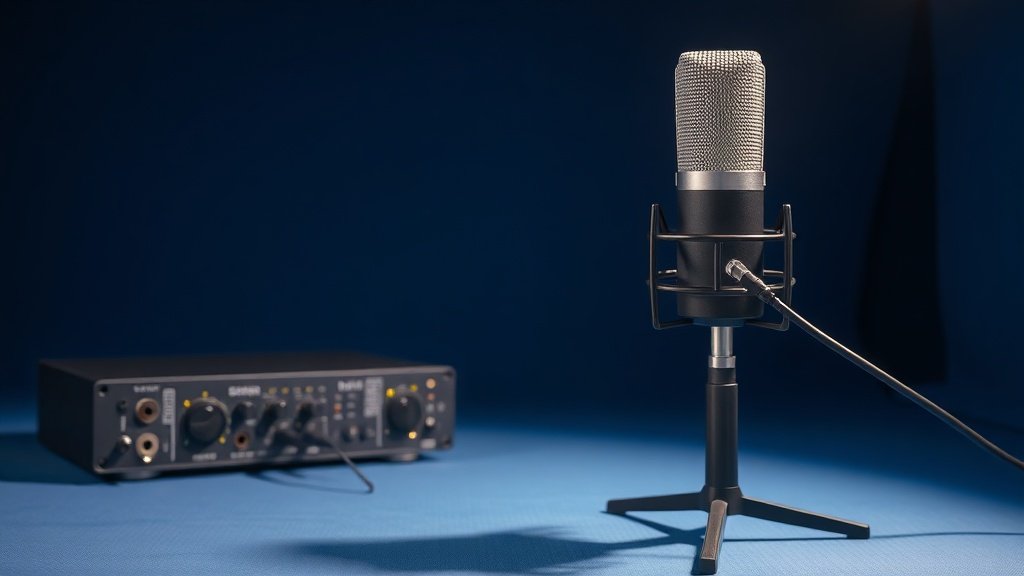
Most modern audio interfaces provide 48-volt phantom power through their XLR inputs. The Focusrite Scarlett 2i2, PreSonus AudioBox USB 96, and Zoom PodTrak P4 all supply phantom power, typically controlled by a dedicated button or switch. Professional mixing consoles from manufacturers like Allen & Heath, Yamaha, and Behringer include phantom power on every microphone input.
Standalone phantom power supplies become necessary when your interface lacks this feature or when working with equipment that cannot provide sufficient current. The Triton Audio FetHead provides 48-volt phantom power whilst also adding clean gain, making it valuable for ribbon microphones or when your interface preamps lack headroom. The ART Phantom II Pro can power up to two microphones simultaneously and includes ground lift switches to eliminate hum problems.
Some microphones include internal battery compartments as an alternative to phantom power. The Rode NTG2 shotgun microphone can run on either phantom power or a single AA battery, providing flexibility for field recording when phantom power might not be available or reliable.
When You Do Not Need Phantom Power
Dynamic microphones never require phantom power and will not be damaged by it when properly connected through balanced XLR cables. The Shure SM7B, Electro-Voice RE20, and Heil PR-40 work identically whether phantom power is engaged or disengaged on your interface. Many engineers leave phantom power permanently enabled on their interfaces because it causes no harm to dynamic microphones.
Ribbon microphones present a more complex situation. Passive ribbon designs like the Coles 4038 or AEA R44C should never receive phantom power because the voltage can damage their delicate ribbon elements. However, active ribbon microphones such as the Royer R-122 or AEA A440 contain built-in electronics that require phantom power to operate. Always verify whether your ribbon microphone is active or passive before connecting it to a phantom-powered input.
USB microphones like the Audio-Technica ATR2100x-USB or Blue Yeti receive their power directly through the USB connection and do not use phantom power even when they contain condenser capsules. These microphones connect directly to your computer and bypass traditional audio interfaces entirely.
Safety and Best Practices
Always connect your microphone to the input before enabling phantom power, and disable phantom power before disconnecting the microphone. This practice prevents loud pops and clicks that can damage speakers or headphones. The power supply capacitors in your interface need several seconds to discharge after you disable phantom power, so wait before unplugging microphones.
Never enable phantom power when using unbalanced or improperly wired cables with ribbon microphones. A cable with pins 2 and 3 connected together will create a short circuit that can destroy ribbon elements instantly. Use only properly constructed balanced XLR cables with ribbon microphones, and double-check the phantom power switch before making connections.
Check your phantom power voltage if you experience intermittent microphone behaviour or unusually high noise levels. Cheap power supplies or failing interface components sometimes deliver incorrect voltages that cause condenser microphones to operate poorly. A digital multimeter can measure the voltage between XLR pins 2 and 1, which should read 48 volts plus or minus 4 volts on a properly functioning phantom power supply.
Assuming all condenser microphones sound the same with any phantom power source. Inadequate current delivery or voltage regulation can cause distortion, increased noise, or reduced headroom even when the microphone appears to work normally.
Enabling phantom power while ribbon microphones are connected to the input. This mistake can instantly destroy the ribbon element in passive designs, and the damage is usually irreversible and expensive to repair.
Connecting and disconnecting microphones while phantom power remains engaged. The resulting pops and transients can damage tweeters in studio monitors and create unpleasant surprises for anyone wearing headphones during the session.
Conclusion
Phantom power is essential for condenser microphones but harmless to most dynamic designs when used with proper balanced cables. Understanding which microphones need it, how to provide it safely, and when to avoid it prevents equipment damage whilst ensuring your condensers perform at their best.

FREE DOWNLOAD
Stop Guessing. Start Buying Smart.
The specs that actually matter, demystified.
Headphones, microphones, the spec sheet jargon you can ignore — all in one quick-reference PDF. Free, instant, no fluff.
Send Me the CheatsheetYou'll also receive occasional new guide notifications. Unsubscribe anytime. No spam, ever.