The difference between two wires and three wires in your audio cable determines whether you get clean professional signal or noise that destroys your recording.
After years of obsessively buying, using and comparing audio gear, I can tell you that understanding balanced versus unbalanced audio connections saves more recordings than expensive preamps ever will. The fundamental difference comes down to how the audio signal travels through the cable and how well it rejects electromagnetic interference along the way.
This guide explains exactly when balanced connections matter for your setup, which cables to use where, and why some audio gear sounds clean while other setups pick up every mobile phone and fluorescent light in the building. You will understand the practical differences that affect your recordings, not just the technical theory.
How Balanced Audio Actually Works
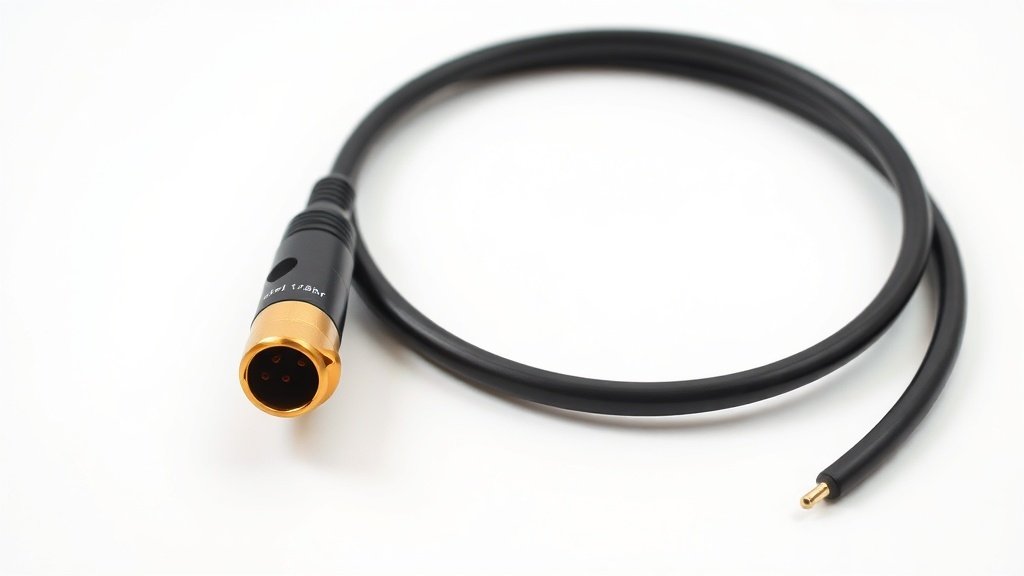
Balanced audio uses three conductors inside the cable: hot, cold, and ground. The audio signal gets split into two identical copies, with one copy inverted in phase. At the receiving end, the device flips one signal back and combines both copies. Any interference picked up during transmission affects both conductors equally, so when they combine, the interference cancels out while the original audio signal doubles in strength.
Unbalanced connections use only two conductors: signal and ground. The audio travels down one wire while the shield provides the return path and blocks some interference. This simpler approach works fine for short runs in quiet electrical environments, but longer cables or noisy locations expose the fundamental weakness of having no interference rejection.
The Focusrite Scarlett Solo demonstrates this difference clearly. Its XLR input provides balanced connection for microphones, while the instrument input uses unbalanced TS jacks. Connect a dynamic microphone like the Shure SM57 via XLR, and you can run 100 feet of cable without noise issues. Plug the same microphone into the instrument input using an adapter, and interference becomes audible after just 20 feet in most studio environments.
XLR Connections and Professional Microphones
XLR connectors handle balanced audio through three pins: pin 1 for ground, pin 2 for hot signal, and pin 3 for cold signal. Every professional microphone from the Audio-Technica AT2020 to the Neumann U87 uses XLR output because microphones produce extremely low signal levels that need maximum protection from interference during the journey to your preamp or interface.
The balanced design becomes critical when you consider that microphone signals measure in millivolts while line-level signals operate in the volt range. A tiny amount of electrical interference that would be inaudible on a line signal becomes clearly audible noise when amplified 50 to 60 dB by your microphone preamp. Professional interfaces like the RME Babyface Pro FS and Universal Audio Apollo Twin provide XLR inputs with proper balanced preamps specifically to maintain clean signal from microphone to digital conversion.
Phantom power also relies on the balanced XLR design. Condenser microphones like the Rode PodMic USB and AKG C414 need 48-volt phantom power, which travels down pins 2 and 3 equally while the audio signal travels as the difference between those same pins. This elegant solution allows power and audio to share the same three-pin connector without interference.
The difference between two wires and three wires in your audio cable determines whether you get clean professional signal or noise that destroys your recording.
TRS and TS Connections for Line Level
TRS connectors use tip-ring-sleeve configuration for balanced line-level connections, commonly found on studio monitors and professional audio interfaces. The tip carries hot signal, ring carries cold signal, and sleeve provides ground connection. Studio monitors like the Yamaha HS8 and KRK Rokit 5 G4 include both XLR and TRS inputs because balanced connections reduce noise when connecting from your audio interface output to powered speakers across the studio.
TS connections use only tip and sleeve, making them inherently unbalanced. Most synthesizers, electric guitars, and consumer audio equipment output unbalanced signal through TS or RCA connections. The Korg Minilogue XD synthesizer outputs unbalanced signal through TS jacks, which works perfectly for direct connection to your interface input within a few feet. Problems arise when routing that same unbalanced signal across longer distances or through electrically noisy environments.
Many audio interfaces provide combo jacks that accept both XLR and TRS connections, like those found on the PreSonus AudioBox USB 96 and Zoom PodTrak P4. These inputs automatically detect balanced or unbalanced signals and adjust the input circuitry accordingly, but you still get better noise performance from balanced sources when the cable run exceeds 10 feet or passes near computer monitors, power supplies, and wireless devices.
When Balanced Connections Actually Matter
Cable length determines when balanced connections become necessary rather than just preferable. Unbalanced connections work fine for guitar pedals, desktop studio monitors within three feet of your interface, and direct instrument recording. The Focusrite Scarlett 2i2 handles unbalanced sources perfectly well when everything sits on the same desk without long cable runs.
Once you exceed 10 feet of cable length, balanced connections provide measurable noise reduction. Professional studios use balanced connections throughout the signal chain specifically because a typical recording session involves dozens of cable runs between the control room, live room, and equipment racks. The SSL SiX mixer and Mackie ProFX series mixers provide balanced outputs for this reason – they expect to drive long cables to studio monitors and external processors.
Electrical interference makes balanced connections essential regardless of cable length in certain environments. Recording near computers, wireless routers, mobile phones, or fluorescent lighting introduces electromagnetic interference that unbalanced cables pick up as audible buzz and hum. The Audio-Technica BP40 dynamic microphone connected via balanced XLR remains quiet in these conditions, while the same microphone adapted to unbalanced connection picks up interference that ruins the recording.
Common Cable and Connection Mistakes
Guitar cables look identical to professional audio cables but use different internal wiring that affects balanced connections. Standard guitar cables wire the ring and sleeve together, which shorts the cold signal to ground and converts your balanced connection into unbalanced. This approach works for guitars and synthesizers that output unbalanced signals anyway, but connecting studio monitors or balanced line outputs through guitar cables eliminates the noise rejection benefit and often reduces signal level by 6 dB.
Using guitar cables for balanced line connections reduces signal level and eliminates noise rejection. Guitar cables short the ring to sleeve, converting balanced signals to unbalanced and cutting output level in half. Use proper TRS or XLR cables for balanced connections between interfaces, monitors, and outboard gear.
Assuming all inputs accept both balanced and unbalanced signals equally well. Some equipment inputs are designed specifically for balanced or unbalanced sources and perform poorly with the wrong connection type. Check your manual to verify whether inputs are true balanced, unbalanced, or impedance-balanced before connecting.
Running unbalanced connections longer than necessary in electrically noisy environments. Consumer gear with RCA and TS outputs works fine for short connections, but extending these signals across rooms or near computers introduces noise that balanced connections would reject. Use DI boxes or balanced converters for long runs from unbalanced sources.
Conclusion
Choose balanced XLR connections for all microphones and any cable run exceeding 10 feet. Use balanced TRS for studio monitor connections and professional line-level sources. Reserve unbalanced TS and RCA connections for short desktop setups with guitars, synthesizers, and consumer equipment. The three-wire design costs no more than two-wire alternatives but provides noise rejection that protects your signal quality when it matters most.

FREE DOWNLOAD
Stop Guessing. Start Buying Smart.
The specs that actually matter, demystified.
Headphones, microphones, the spec sheet jargon you can ignore — all in one quick-reference PDF. Free, instant, no fluff.
Send Me the CheatsheetYou'll also receive occasional new guide notifications. Unsubscribe anytime. No spam, ever.