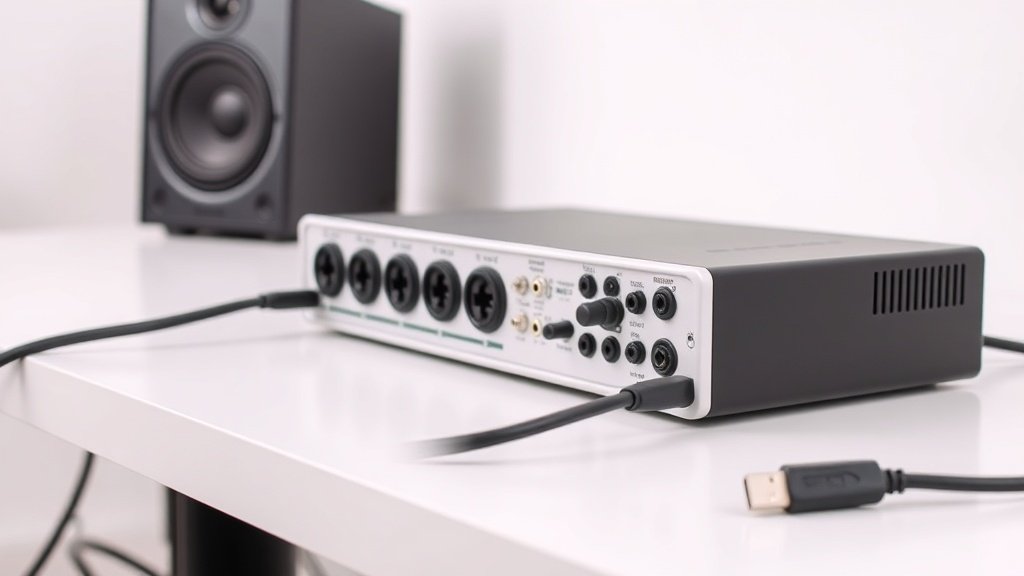
Every millisecond of delay between hitting a note and hearing it back transforms confident musicians into hesitant performers struggling to stay in time.
Recording latency represents the time delay between an audio signal entering your system and hearing it back through your monitors or headphones. This delay stems from analog-to-digital conversion, buffer processing, and digital-to-analog conversion happening inside your audio interface and computer.
This guide covers the primary causes of recording latency and proven methods to reduce it to imperceptible levels. We examine buffer size adjustments, driver optimisation, hardware solutions, and monitoring techniques that keep sessions flowing smoothly.
Understanding Buffer Size and Its Impact
Buffer size controls how much audio data your system processes in each chunk. Smaller buffers mean lower latency but require more CPU power and can cause audio dropouts if your system cannot keep up. Larger buffers increase latency but provide stability for complex mixes with many plugins running simultaneously.
Most audio interfaces allow buffer sizes from 32 to 2048 samples. At 44.1kHz sample rate, a 128-sample buffer creates roughly 6 milliseconds of round-trip latency, while 64 samples drops this to around 3 milliseconds. The Focusrite Scarlett series and RME Babyface Pro FS both handle 64-sample buffers reliably on modern computers.
Start with 128 samples for tracking and monitoring. If you experience dropouts or clicks, increase to 256 samples. Only use 64 samples if your system remains stable and you need the absolute lowest latency for critical overdubs or live performance scenarios.
Driver Optimisation Makes the Difference
ASIO drivers bypass Windows audio processing and communicate directly with your interface hardware. This direct communication eliminates the additional latency introduced by generic Windows drivers. Interfaces like the Universal Audio Apollo Twin and Zoom PodTrak P8 include optimised ASIO drivers that significantly outperform generic alternatives.
Install manufacturer-provided drivers rather than relying on class-compliant USB drivers. Update these drivers regularly as manufacturers often improve performance and reduce latency in newer versions. Some interfaces offer multiple driver modes – always select the ASIO option over DirectSound or MME drivers.
ASIO4ALL provides a free alternative for interfaces without dedicated ASIO drivers, though performance varies depending on your specific hardware combination. Test different driver versions if you experience issues, as the newest version does not always work best with every system configuration.
Round-trip latency under 10 milliseconds feels immediate to most performers, while anything over 20 milliseconds becomes distractingly noticeable.
Hardware Solutions That Actually Work
Audio interface choice fundamentally determines your minimum achievable latency. Interfaces with dedicated DSP chips handle monitoring and effects processing without computer involvement. The RME UFX+ and Motu 828es both offer near-zero latency monitoring through their internal mixers.
Thunderbolt interfaces typically achieve lower latency than USB equivalents due to superior data transfer protocols. The Universal Audio Apollo x6 and Zoom TAC-2R demonstrate how Thunderbolt connectivity enables stable performance at 32-sample buffer sizes that would cause USB interfaces to struggle.
Consider interfaces with dedicated headphone monitoring circuits that blend input signals with computer playback without digital processing delays. The Audient iD22 and SSL 2+ both provide this direct monitoring capability, allowing performers to hear themselves instantly while still recording the dry signal to your DAW.
CPU Optimisation and System Configuration
Close unnecessary programs before recording sessions. Web browsers, streaming services, and background applications consume CPU cycles that your DAW needs for low-latency processing. Disable Wi-Fi scanning, automatic updates, and virus scan schedules during recording periods.
Increase your audio interface sample rate to 88.2kHz or 96kHz if your project allows. Higher sample rates actually reduce latency in samples, though the time difference becomes negligible. A 64-sample buffer at 96kHz represents 0.67 milliseconds compared to 1.45 milliseconds at 44.1kHz.
Freeze or bounce tracks with heavy plugin processing during overdub sessions. Each plugin adds processing delay, and some vintage emulation plugins introduce significant latency. The Universal Audio UAD plugins and Waves SSL collections both include latency compensation, but removing them temporarily during tracking eliminates this processing overhead entirely.
Direct Monitoring and Zero-Latency Solutions
Direct monitoring bypasses computer processing entirely by routing input signals straight to your headphone or monitor outputs. This creates true zero-latency monitoring but prevents you from hearing recording effects or amp simulators in real-time.
Many interfaces offer blend controls that mix direct input signals with computer playback. The Focusrite Clarett series and Native Instruments Komplete Audio 6 both provide intuitive blend knobs that let you balance immediate input monitoring against processed computer audio.
Some high-end interfaces include DSP-powered effects for zero-latency monitoring with reverb, compression, and EQ. The RME UFX III and Universal Audio Apollo series both offer comprehensive monitoring environments that rival dedicated hardware mixers for functionality and sound quality.
Using the same buffer size for recording and mixing creates unnecessary limitations. Recording requires low latency settings while mixing benefits from larger buffers that accommodate heavy plugin usage. Change buffer size based on your current task rather than finding one compromise setting.
Ignoring direct monitoring capabilities wastes your interface potential. Even basic interfaces include direct monitoring circuits that eliminate computer processing delays. Learn your interface monitoring controls rather than accepting unnecessary latency during overdubs.
Assuming expensive interfaces automatically provide better latency performance. Driver quality and system optimisation often matter more than interface price. A well-configured budget interface with good drivers frequently outperforms an expensive interface running generic drivers on a poorly optimised system.
Conclusion
Reducing recording latency requires balancing buffer sizes, optimising drivers, and using appropriate monitoring techniques for each session. Start with 128-sample buffers, install manufacturer ASIO drivers, and utilise direct monitoring for overdubs. These fundamental steps eliminate the delays that disrupt creative flow and compromise recording quality.

FREE DOWNLOAD
Stop Guessing. Start Buying Smart.
The specs that actually matter, demystified.
Headphones, microphones, the spec sheet jargon you can ignore — all in one quick-reference PDF. Free, instant, no fluff.
Send Me the CheatsheetYou'll also receive occasional new guide notifications. Unsubscribe anytime. No spam, ever.