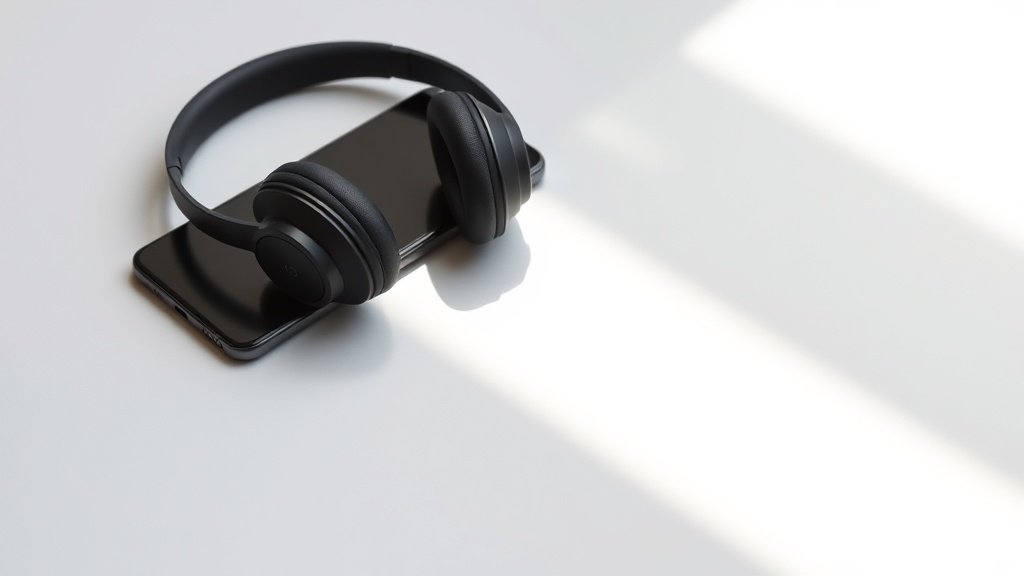
Premium wireless headphones can sound worse than budget wired alternatives when codec compatibility fails between phone and headphones.
After years of obsessively buying, using and comparing audio gear, I have watched too many engineers waste money on high-end wireless headphones that cannot talk properly to their phones. The codec your phone supports must match what your headphones can decode, or audio quality suffers dramatically regardless of driver quality or amplification.
This guide covers the specific codec combinations that work, which phones support advanced codecs, and how to verify compatibility before purchasing. We will examine real-world performance differences between SBC, AAC, aptX variants, and LDAC across popular devices.
Understanding Bluetooth Audio Codec Basics
Every wireless audio connection requires both devices to share at least one common codec for communication. The phone encodes audio data, transmits it over Bluetooth, and the headphones decode it back to analogue signal. When devices support multiple codecs, they negotiate automatically to select the highest quality option both can handle.
SBC remains the universal fallback codec that all Bluetooth audio devices must support. However, SBC provides mediocre quality at roughly 328 kbps with noticeable compression artifacts on detailed material. Think of SBC as the audio equivalent of a low-resolution JPEG – functional but far from transparent.
The negotiation process happens invisibly during pairing, but you can verify which codec is active through developer settings on Android devices or third-party applications. This verification step proves crucial because marketing claims do not guarantee real-world compatibility between specific phone and headphone models.
iPhone Codec Support and Limitations
Apple devices support only SBC and AAC codecs for Bluetooth audio transmission. This limitation affects every iPhone, iPad, and Mac regardless of model year or price point. Apple optimised their AAC implementation extensively, delivering quality that approaches CD standard at 256 kbps when paired with compatible headphones.
The Sony WH-1000XM5 and Bose QuietComfort 45 both handle AAC well with iPhones, providing significantly better sound quality than SBC fallback mode. However, headphones marketed with aptX or LDAC support offer no advantage with Apple devices since iPhones cannot transmit these codecs.
This creates a specific purchasing consideration for iPhone users – premium features like aptX Adaptive or LDAC become irrelevant. Focus instead on headphones with excellent AAC decoding and strong noise cancelling algorithms. The audio quality ceiling remains fixed by Apple codec support regardless of headphone capabilities.
Codec compatibility matters more than driver size when determining real-world wireless audio quality.
Android Codec Variety and Device Differences
Android devices offer broader codec support, but specific availability varies dramatically between manufacturers and models. Samsung Galaxy phones typically support SBC, AAC, and Samsung Scalable Codec, with some models adding aptX variants. Google Pixel devices include SBC, AAC, and LDAC support starting from Pixel 2.
OnePlus phones generally support the complete codec range including aptX HD and LDAC, making them particularly suitable for audiophile headphones. However, budget Android devices often limit support to SBC and AAC only, similar to iPhones but with potentially inferior AAC implementation quality.
The fragmented Android ecosystem means checking specific device codec support before headphone purchase becomes essential. A phone that supports LDAC paired with Sony WH-1000XM4 headphones can achieve near-wired quality at 990 kbps, while the same headphones with SBC-only phones sound compressed and lifeless.
AptX Variants and Real-World Performance
Qualcomm aptX family includes several variants with different capabilities and quality levels. Standard aptX provides 352 kbps bitrate with lower latency than SBC, making it suitable for video content. AptX HD increases bitrate to 576 kbps for improved audio fidelity, while aptX Adaptive dynamically adjusts quality based on connection stability.
The Sennheiser Momentum 4 Wireless demonstrates excellent aptX HD performance when paired with compatible Android phones, delivering noticeably cleaner highs and tighter bass response compared to SBC mode. However, the same headphones with iPhones default to AAC, which provides similar but not identical sound characteristics.
AptX Low Latency addresses lip-sync issues during video playback, reducing delay to approximately 40 milliseconds compared to 200+ milliseconds with standard codecs. Gaming headphones like the SteelSeries Arctis 7P benefit significantly from low latency codecs, though both phone and headphones must support the specific variant for activation.
LDAC Quality and Compatibility Considerations
Sony LDAC codec achieves the highest wireless audio quality available, theoretically supporting up to 990 kbps bitrate at 24-bit/96kHz resolution. This approaches wired connection quality under ideal conditions with strong Bluetooth signal strength and minimal interference.
Google Pixel phones and many flagship Android devices include LDAC support, making combinations like Pixel 7 Pro with Sony WF-1000XM4 earbuds particularly effective for critical listening. The codec automatically adjusts quality based on connection stability, dropping to lower bitrates when signal weakens rather than cutting out completely.
However, LDAC requires significant processing power and stable connection conditions. Older phones may struggle with battery drain during LDAC encoding, while interference-heavy environments force frequent quality reduction. The codec works best in controlled environments rather than crowded urban areas with dense wireless activity.
Assuming all premium headphones work equally well with any phone regardless of codec support. Codec compatibility determines audio quality ceiling more than driver specifications or amplification. Check specific codec overlap between your phone model and target headphones before purchase.
Ignoring automatic codec negotiation and manual override options. Phones sometimes select suboptimal codecs even when better options exist. Android developer settings allow manual codec selection, while some headphone apps provide codec status information and adjustment controls.
Expecting marketing claims about codec support to guarantee real-world compatibility. Manufacturers sometimes list codecs that work poorly or only under specific conditions. Test actual codec performance with your specific phone model, or research verified compatibility reports from other users with identical device combinations.
Conclusion
Successful wireless audio depends on matching codec capabilities between phone and headphones rather than individual device quality alone. iPhone users should prioritise excellent AAC decoding, while Android users can leverage broader codec support for higher quality options. Always verify codec compatibility with your specific phone model before investing in premium wireless headphones.

FREE DOWNLOAD
Stop Guessing. Start Buying Smart.
The specs that actually matter, demystified.
Headphones, microphones, the spec sheet jargon you can ignore — all in one quick-reference PDF. Free, instant, no fluff.
Send Me the CheatsheetYou'll also receive occasional new guide notifications. Unsubscribe anytime. No spam, ever.