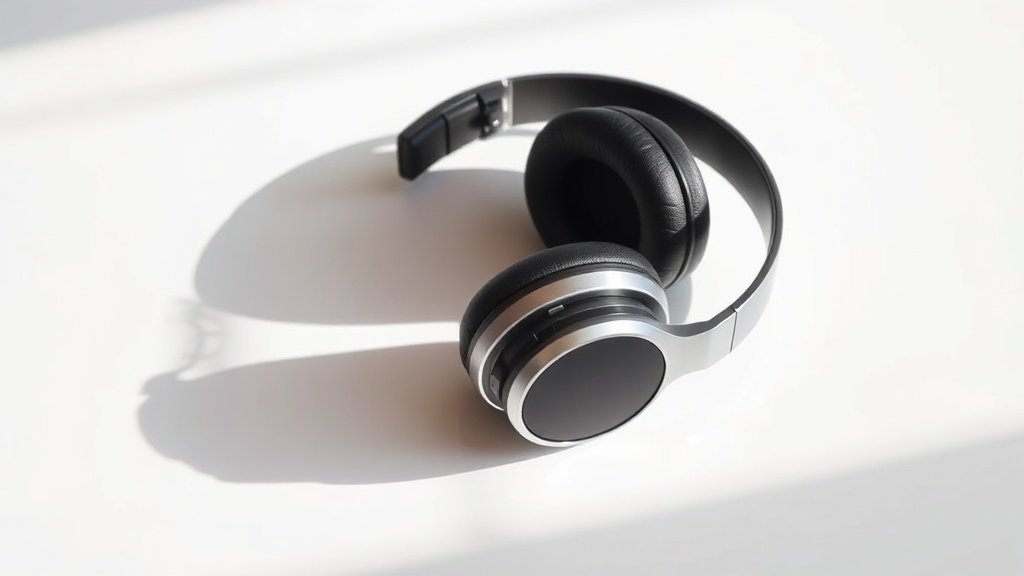
That sharp, piercing sound when someone says words with S or T sounds can make an otherwise perfect vocal recording completely unlistenable, and your headphones might be making it far worse than it needs to be.
Sibilance represents one of the most persistent problems in audio reproduction. These harsh, whistling sounds occur naturally in human speech around 4-8 kHz, but poor equipment choices and improper setup can transform normal speech into an ear-splitting assault. After years of obsessively buying, using and comparing audio gear, I have learned that understanding sibilance requires looking at both the source and the reproduction chain.
This guide explains why sibilance happens, how different headphones either control or exaggerate these frequencies, and what you can do to minimise the problem whether you are recording, mixing, or simply trying to enjoy music without wincing every time a vocalist pronounces an S sound.
The Science Behind Sibilant Frequencies
Sibilance occurs when air passes through the small gaps between teeth and tongue during certain consonant sounds. The physics creates turbulent airflow that generates broad-spectrum noise, but the resonant cavities in your mouth emphasise specific frequencies between 4-10 kHz. Different people produce sibilant energy at different frequencies based on their mouth shape, tongue position, and dental structure.
Recording engineers have recognised this problem for decades. Classic microphones like the Neumann U87 became industry standards partly because their frequency response handles sibilant frequencies with more restraint than many alternatives. The microphone capsule design, particularly the way it responds to high-frequency content, determines whether normal speech sibilance gets captured accurately or amplified into harshness.
The real trouble starts when multiple components in the audio chain each add a small boost around these critical frequencies. A microphone with a presence peak at 5 kHz feeding into a preamp with slight high-frequency emphasis, then played back through headphones with their own treble boost, can turn manageable sibilance into something genuinely painful.
How Headphone Frequency Response Affects Sibilance
Most headphones exhibit some form of frequency response irregularity in the treble region, and these deviations directly impact how sibilant sounds reach your ears. The Beyerdynamic DT990 Pro, popular among home studio users, demonstrates this clearly with its pronounced 8-9 kHz peak that can make sibilance sound far more aggressive than it actually is in the original recording.
Driver design plays a crucial role here. Planar magnetic headphones like the Audeze LCD-2 Classic tend to have smoother high-frequency response compared to many dynamic drivers, which often struggle with resonances and breakup modes in exactly the frequency range where sibilance lives. However, even within dynamic designs, careful engineering makes a difference. The Sennheiser HD600 manages to maintain detail in the treble region without the harsh peaks that exaggerate sibilant sounds.
The acoustic properties of closed versus open designs also matter. Closed-back headphones like the Audio-Technica ATH-M50x can create pressure build-up that emphasises certain frequencies, potentially making sibilance more noticeable. Open-back designs generally provide more natural reproduction, though they sacrifice isolation.
Multiple small frequency response peaks throughout the audio chain can transform normal speech sibilance into genuinely painful listening experiences.
Identifying Sibilance in Your Setup
The easiest way to detect whether your headphones exaggerate sibilance is listening to familiar vocal recordings and paying attention to words with S, T, CH, and SH sounds. Female vocalists often present more obvious examples because their fundamental frequencies leave more space for sibilant harmonics to become prominent. Try listening to tracks from artists like Joni Mitchell or Norah Jones, where close-miking techniques capture natural speech sibilance without artificial enhancement.
Studio reference tracks work well for this assessment. The Sheffield Lab recordings, particularly those featuring vocalists, were mastered with careful attention to frequency balance and provide reliable references for how sibilance should sound when properly controlled. If these recordings sound harsh or fatiguing through your headphones, the problem likely lies in your reproduction chain rather than the original source material.
Pay attention to listening fatigue as well. Headphones that exaggerate sibilant frequencies often cause discomfort during extended listening sessions, even at moderate volumes. This happens because your ears are particularly sensitive to the 2-5 kHz range, and excessive energy in adjacent frequencies can trigger protective responses that manifest as tiredness or actual pain.
Choosing Headphones That Control Sibilance
When selecting headphones specifically to minimise sibilance problems, look for models with smooth, controlled frequency response in the 4-10 kHz region. The Focal Clear represents excellent engineering in this regard, maintaining detail and presence without the sharp peaks that cause sibilant harshness. Similarly, the Grado SR325e, despite its forward presentation, manages high frequencies in a way that preserves natural vocal character.
Avoid headphones with dramatic V-shaped frequency response curves, which typically boost both bass and treble while scooping out midrange content. While this tuning can sound initially impressive, it often makes sibilance problems worse by emphasising exactly the frequencies where these sounds occur. The Sony MDR-V6, despite its professional reputation, exhibits this tendency and can make well-recorded vocals sound harsh.
If you already own headphones that exaggerate sibilance, parametric equalisation can help. Most sibilant energy concentrates around 6-8 kHz, so a narrow cut of 2-4 dB in this region often provides significant improvement without sacrificing overall detail. Software like Equalizer APO for Windows or SoundSource for macOS provides the precision needed for this type of correction.
Recording and Mixing Considerations
For those involved in recording, microphone selection and placement offer the first line of defence against problematic sibilance. Ribbon microphones like the Royer R-121 naturally roll off high frequencies in a way that controls sibilance while maintaining warmth and character. Large-diaphragm condensers such as the AKG C414 provide multiple polar patterns and high-frequency response options that can be tailored to individual vocalists.
De-essing during mixing addresses sibilance that makes it past the recording stage. Hardware de-essers like the Empirical Labs DerrEsser or software options such as FabFilter Pro-DS can selectively reduce sibilant frequencies without affecting the overall vocal character. The key lies in setting the frequency range precisely and using gentle ratios to avoid obvious processing artifacts.
Monitor selection matters enormously during mixing. Near-field monitors with accurate frequency response, such as the Genelec 8030C or Focal Alpha 65, reveal sibilance problems without exaggerating them. Mixing on headphones requires extra caution, as even minor frequency response irregularities can mask or exaggerate sibilance in ways that do not translate to other playback systems.
Assuming all sibilance problems come from poor recording technique. Many sibilance issues actually originate in the playback chain, particularly headphones with frequency response peaks in the 6-8 kHz range. Test your monitoring setup with known good recordings before blaming the source material.
Using excessive de-essing to compensate for harsh headphones. Over-processing vocals to sound acceptable on problematic monitors often results in lifeless, lisping playback on accurate systems. Fix the monitoring problem first, then apply minimal corrective processing.
Ignoring the cumulative effect of multiple frequency response peaks. Small boosts from microphone, preamp, converter, and headphones can combine to create severe sibilance problems even when each component measures reasonably well in isolation. Consider the entire signal chain when diagnosing harshness issues.
Conclusion
Sibilance problems stem from the interaction between natural speech characteristics and equipment frequency response. Choosing headphones with smooth, controlled high-frequency reproduction makes the biggest difference in managing these issues. When problems persist, targeted equalisation and proper recording technique provide effective solutions without compromising overall audio quality.

FREE DOWNLOAD
Stop Guessing. Start Buying Smart.
The specs that actually matter, demystified.
Headphones, microphones, the spec sheet jargon you can ignore — all in one quick-reference PDF. Free, instant, no fluff.
Send Me the CheatsheetYou'll also receive occasional new guide notifications. Unsubscribe anytime. No spam, ever.