You do not need a full acoustic kit, a treated room, or a collection of expensive microphones to record drum tracks that hold up in a professional mix — you need a clear understanding of how programming and hybrid layering actually work.
After years of obsessively buying, using and comparing audio gear, the question I hear most often from producers and engineers working in smaller spaces is how to get convincing drum tracks without access to a proper kit. The honest answer is that the problem is not the absence of the kit — it is the absence of a systematic approach to replacing or supplementing it. Once you understand the tools and the workflow, the results can be indistinguishable from a full live recording at a distance that matters most: inside a finished mix.
This guide covers the three main approaches: pure MIDI programming using high-quality sample libraries, electronic drum pads as a performance input method, and hybrid techniques that layer programmed or sampled elements with real acoustic sources. Each section includes specific tools, signal chain considerations, and the decisions that separate a convincing drum track from one that sounds mechanical and unconvincing.
Understanding What Makes Programmed Drums Sound Unconvincing
The single biggest reason programmed drums sound fake is velocity uniformity. When every snare hit lands at exactly the same MIDI velocity, the human ear immediately registers it as unnatural, because no drummer on earth strikes with identical force on every note. The second reason is timing quantisation applied too aggressively. A real drummer plays with micro-timing variations that sit in a groove, and when everything snaps to a perfect grid, the track loses the physical feel of someone actually playing.
Most modern DAWs address this with humanisation tools. In Ableton Live, the humanise function in the MIDI editor randomises velocity and timing within a range you define. In Logic Pro, the Region Inspector allows per-region velocity and timing offset settings that work similarly. The key is restraint: a small random velocity range of around eight to twelve MIDI units and timing variations of no more than eight milliseconds in either direction will add life without making the performance sound sloppy. Apply these settings and then listen critically on a pair of closed-back headphones — the Sony MDR-7506 is useful here because its slightly forward midrange makes timing inconsistencies obvious.
Groove templates extracted from real recordings are a more sophisticated solution. Both Ableton Live and Logic Pro allow you to extract the groove from an audio file and apply it to MIDI data, so the programmed drums inherit the micro-timing fingerprint of a real performance. Import a dry drum loop recorded by an actual drummer, extract its groove, and apply that template to your MIDI patterns. The result is programmed drums that breathe in a way that pure quantisation cannot replicate.
Choosing and Using Sample Libraries Effectively
The quality ceiling for programmed drums is determined almost entirely by the sample library you are using. A library recorded in a mediocre room with budget microphones will produce mediocre results regardless of how well the MIDI programming is executed. Steven Slate Drums 5 is one of the most widely used libraries in professional production because it was recorded in multiple world-class rooms with multiple microphone positions, giving you control over the ambience and bleed that makes acoustic drums sound like acoustic drums. Native Instruments Studio Drummer offers a similar multi-mic approach with three distinct kits recorded at Galaxy Studios in Belgium.
The critical concept to understand with multi-mic libraries is phase coherence between channels. When you solo the overhead microphones in a library like Addictive Drums 2, then add the close microphone on the snare, you may hear comb filtering if the library was not recorded with phase-aligned captures. Good libraries handle this in the sample data itself, but you should check by soloing combinations of channels and listening for the characteristic hollow, thin sound that indicates phase problems. If you hear it, a simple polarity flip on one of the conflicting channels usually resolves it.
Layering multiple libraries is also a legitimate approach. Using a snare sample from Steven Slate Drums 5 underneath a kick from GetGood Drums is common practice in modern metal and pop production, and there is no technical reason to restrict yourself to a single library. The challenge is matching the room sound and transient character between sources, which requires careful EQ and the use of convolution reverb to place all elements in the same acoustic space. A plugin like Waves IR1 or the stock convolution reverb in Logic Pro can load an impulse response from a specific room and apply it consistently across every drum element.
The gap between a programmed drum track and a live recording is not a gap in technology — it is a gap in understanding how real drummers actually play.
Using Electronic Drum Pads as a Performance Input
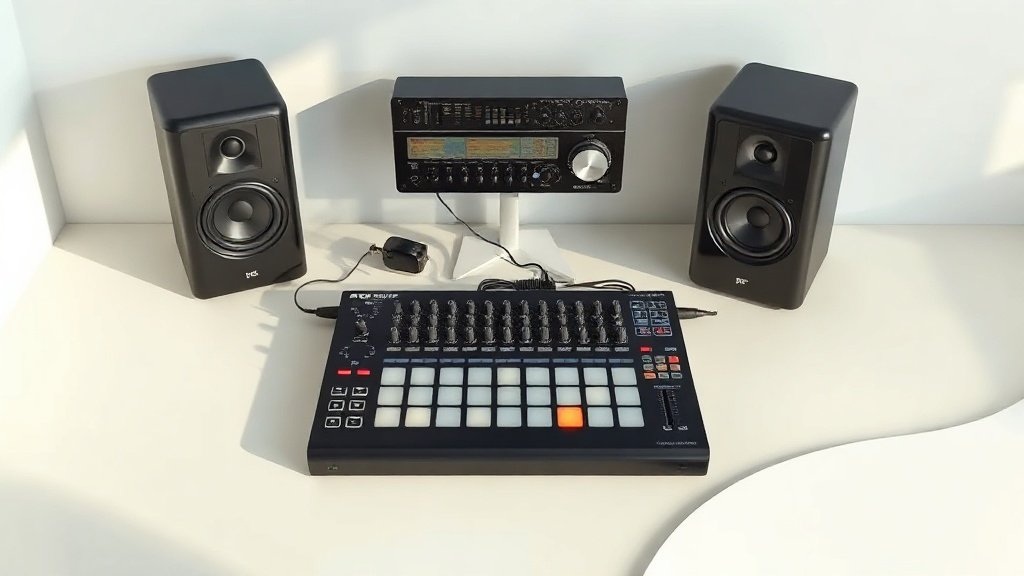
Programming drums by drawing MIDI notes in a piano roll is a valid workflow, but it produces patterns that reflect how a producer thinks rather than how a drummer plays. The alternative is to perform the patterns in real time using an electronic pad controller, which captures the natural rhythmic feel of a human performance and then maps that performance to whatever sample library you are using. The Roland SPD-SX Pro is a professional-grade pad controller used extensively in live performance that doubles effectively as a studio MIDI input device. The Alesis Strike MultiPad and the Roland Octapad SPD-30 are lower-cost options that offer similar MIDI output capability for studio use.
For a more complete performance setup, an electronic drum kit such as the Roland TD-27 or the Yamaha DTX8K allows you to perform full drum parts in real time, with each pad sending MIDI note data to your DAW via USB or a standard MIDI interface. The kit itself does not need to sound good — its only job in this context is to capture a human performance. Map the MIDI output from each pad to the corresponding instrument in your sample library, record the performance without quantisation, and then apply light humanisation and selective groove correction only where timing errors are genuinely disruptive rather than characterful.
The audio interface matters here in a specific way. When you are monitoring a live pad performance through a software instrument in real time, latency is the enemy of a natural performance. You need an interface with a low round-trip latency, typically below ten milliseconds, to avoid the slight disconnect that causes a performer to rush or drag. The Universal Audio Apollo Twin X and the Focusrite Scarlett 4i4 are both capable of very low-latency monitoring when the buffer size is set appropriately and the driver is configured correctly. On Apple Silicon machines running Logic Pro, the low-latency monitoring mode in recent versions of the software has made this considerably more manageable.
Hybrid Approaches: Combining Real and Programmed Elements
The hybrid approach sits between pure programming and full live recording. The most common form involves recording one or two real acoustic elements — typically the snare and hi-hat, because these carry the most expressive variation — and then programming or sampling everything else. A snare recorded with even a single decent dynamic microphone, such as the Shure SM57 placed at the edge of the head, captures the physical impact and room interaction that no sample library fully replicates. That one real element anchors the track sonically, making the programmed kick and cymbals feel more believable by association.
The reverse approach also works. Some producers use a programmed snare as the foundation for its consistency and punch, then layer a live-recorded snare on top to add the imperfections and harmonic complexity that make the sound feel organic. This is called sample replacement in reverse — instead of replacing a bad live recording with a sample, you are supplementing a sample with a live recording. The key technical challenge is alignment: the live recording and the programmed sample must be aligned to the same transient point or the combined sound will be smeared and indistinct. Zoom in to the sample level in your DAW and align the initial transient peaks manually rather than relying on automatic alignment tools, which sometimes snap to the wrong point in complex waveforms.
Trigger microphones offer another hybrid route. A contact microphone placed on the shell of a snare or kick drum, feeding a trigger interface such as the Roland TM-6 Pro, converts the physical vibration of the drum into a MIDI signal that fires a sample from a library. This means a drummer can perform on a real kit in a space that is too acoustically poor to record directly — a bedroom, a garage, a rehearsal room — and the trigger interface captures the performance feel while the sample library provides the polished sound. The acoustic bleed from the real drum can be minimised with heavy blankets and careful microphone placement, or it can be gated aggressively at the mixing stage.
Mixing Programmed and Hybrid Drums to Sit in a Track
Programmed drums often sound too perfect and too dry when first placed in a mix. The transients are sharp, the low end is controlled, and the stereo image is tidy — all of which sounds professional in isolation but thin and lifeless in context. The solution is to treat the drum bus with the same processes that a recording engineer would apply to a live drum recording. A bus compressor such as the SSL G-Bus Compressor or its plugin equivalent, the Waves SSL G-Master Buss Compressor, applied at a gentle ratio of around two to one with a medium attack and fast release, glues the elements together and adds the pumping energy that programmed drums otherwise lack.
Room reverb is equally important. A sampled snare recorded in an anechoic environment will never sit naturally in a mix without some kind of room treatment. Load a short room impulse response — somewhere between 0.4 and 0.8 seconds of decay — onto an auxiliary send channel and route all drum elements to it at different levels, with the overhead elements receiving less because they already contain some room character from the library. This creates a unified acoustic space for all the drum elements, which is exactly what a real room recording provides automatically.
Applying full quantisation to every drum element destroys the groove. Tight quantisation on every hit removes the micro-timing relationships between kick, snare, and hi-hat that create rhythmic feel — leave some variation intact, particularly on the hi-hat, and use groove templates from real performances rather than snapping everything to the grid.
Using the same sample library for every project makes every track sound like the same drum kit. Even if the programming is excellent, identical samples produce identical drum sounds across different songs, which is immediately noticeable to an experienced listener — invest time in building a library of sources and rotate between them based on what the song requires.
Ignoring phase relationships between multi-mic library channels creates thinness in the mix. When close microphones and overhead microphones from a sample library are summed without checking phase coherence, the result is a hollow sound that no amount of EQ will correct — check polarity on each channel in isolation against the overhead reference and flip where necessary.
Conclusion
Recording drums without a full kit is not a compromise — it is a different set of decisions with a different set of tools. The quality of the outcome depends on understanding why real drums sound the way they do: imperfect timing, velocity variation, room interaction, and phase relationships between microphone positions. Replicate those characteristics deliberately, whether through programming, pad performance, hybrid layering, or careful mixing, and the result will hold up in any context a full live recording would.

FREE DOWNLOAD
Stop Guessing. Start Buying Smart.
The specs that actually matter, demystified.
Headphones, microphones, the spec sheet jargon you can ignore — all in one quick-reference PDF. Free, instant, no fluff.
Send Me the CheatsheetYou'll also receive occasional new guide notifications. Unsubscribe anytime. No spam, ever.