A recording ruined by poor gain staging cannot be fixed in the mix, no matter how skilled the engineer or how powerful the plugins, because the damage is baked into the signal from the very first moment.
Gain staging is the process of controlling signal level at every stage of the audio chain, and it begins the moment sound enters your audio interface. Get it right and your recordings are clean, dynamic, and full of usable headroom. Get it wrong and you are dealing with noise floors that obscure detail, or clipping that destroys transients permanently. After years of obsessively buying, using and comparing audio gear, I can tell you that this is the step most people skip or misunderstand.
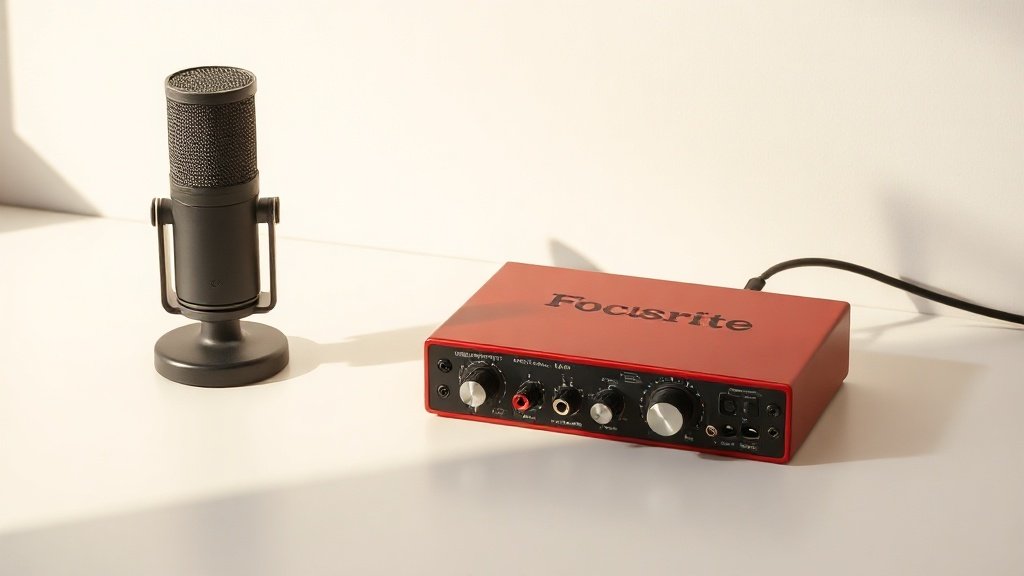
This guide covers how to set gain correctly on an audio interface, starting with understanding what the gain knob actually does, moving through how to read your meters properly, and finishing with the practical workflow I use on every session regardless of whether I am tracking vocals, acoustic instruments, or electric sources. Every piece of advice here applies equally to budget interfaces like the Focusrite Scarlett 2i2 and professional units like the Universal Audio Apollo Twin X.
What the Gain Knob Is Actually Doing
The gain knob on your interface is a preamp control. It amplifies the incoming signal from your microphone or instrument before that signal is converted from analogue to digital by the onboard converter. This is a critical distinction because anything that happens before conversion is permanent. You cannot digitally subtract noise that was introduced by an underdriven preamp, and you cannot undo clipping that occurred in the analogue stage before the signal even reached the converter.
Most microphones, particularly dynamic microphones like the Shure SM7B or condenser microphones like the Audio-Technica AT2020, output a relatively low signal level. Ribbon microphones output even less. The preamp in your interface is designed to bring that signal up to a level the converter can work with efficiently. The gain knob controls how much amplification is applied. Too little and the signal is buried in the noise floor of the preamp itself. Too much and the analogue circuitry saturates and clips before the digital meters even have a chance to warn you.
Some interfaces also have a separate pad switch, which attenuates the incoming signal before it reaches the preamp. This is useful when recording very loud sources like a close-miked snare drum or a guitar cabinet. The pad does not change the gain knob behaviour but shifts the entire operating range downward so you have more usable rotation on the knob for loud sources. The Audient id14 and the SSL 2+ both include pad switches for exactly this purpose.
Reading Your Meters Correctly
The metering on an audio interface varies significantly between units. Entry-level interfaces like the Behringer UMC202HD use simple clip indicators that only illuminate when the signal is already too hot. More capable interfaces like the Focusrite Scarlett 4i4 or the MOTU M4 include multi-segment LED meters that give you a real-time visual representation of where your signal is sitting. Learning to read these meters accurately is non-negotiable.
In the digital domain, the scale runs from negative infinity at the bottom up to zero dBFS at the top, where dBFS stands for decibels relative to full scale. Zero dBFS is the absolute ceiling. Any signal that reaches zero clips and the waveform is truncated. This is not like analogue tape saturation, which can sound pleasant at moderate amounts. Digital clipping sounds broken and there is no recovery. The goal when setting gain is to have your signal peak somewhere between minus eighteen and minus twelve dBFS during the loudest expected moments of the performance.
The reason I target that range rather than pushing closer to zero is headroom. Performances are unpredictable. A vocalist who is singing consistently at minus sixteen dBFS will occasionally hit a note with more force than expected. If your gain is set so those consistent moments are already at minus six, that unexpected loud moment clips. If those consistent moments sit at minus sixteen, the unexpected peak might reach minus eight or minus ten, which is still entirely safe. I always set gain during a realistic performance run, not during a quiet spoken level check, because the actual performance is what you are recording.
The right gain level is not the loudest level that does not clip. It is the level that protects your headroom while keeping the signal well above the noise floor.
The Practical Workflow for Setting Gain
My workflow is straightforward and repeatable. Before touching the gain knob, I make sure the microphone is positioned correctly and the performer or source is ready to produce the actual sounds I am recording, at the actual intensity I expect in the final take. I then turn the gain knob fully counter-clockwise to start at zero amplification. With the interface connected and the DAW open, I ask the performer to play or sing at full performance level, and I slowly bring the gain up while watching the meters in real time.
I stop increasing the gain when the loudest peaks in the performance are reaching somewhere between minus eighteen and minus twelve dBFS on the input meter. In a DAW like Logic Pro X or Reaper, I can also watch the level on the track channel strip, which gives me a larger and more readable display than the LED meters on the interface hardware. I do one full run through the most demanding section of the material, check that no clip indicators have illuminated, and then record a short test take to listen back and confirm the signal is clean.
If the interface has a software control panel, such as the Focusrite Control application for Scarlett interfaces or the Universal Audio Console for Apollo units, I check those meters as well because they sometimes show more detail than the hardware LEDs. The MOTU M4 is particularly useful here because its hardware meters are large, accurate, and easy to read from across a desk without having to look at a laptop screen.
Phantom Power, Pads, and High-Pass Filters
Several controls on an audio interface interact with gain and are worth understanding before you begin a session. Phantom power, usually labelled 48V, is required by most condenser microphones including the Rode NT1-A and the AKG C214. It does not affect gain directly, but without it, a condenser microphone will output either no signal or a very weak and distorted one, which might lead you to push the gain knob too high searching for a signal that simply is not there. Always check that phantom power is enabled before setting gain on a condenser.
The high-pass filter, sometimes called a low-cut filter, is found on many interfaces including the Focusrite Scarlett Studio range and the SSL 2+. Engaging it rolls off low-frequency content below a set point, typically around eighty to one hundred hertz. This can meaningfully reduce the energy hitting your meters from rumble, air conditioning noise, or proximity effect on close-miked sources, which in turn makes it easier to set gain accurately because you are not chasing peaks caused by subsonic energy rather than the actual signal you want to record.
The instrument input setting, often labelled HI-Z or INST on the front panel of interfaces like the Arturia MiniFuse 2 or the Focusrite Scarlett Solo, switches the input impedance to suit electric guitars and basses plugged in directly without a DI box. If you plug a passive guitar into a standard microphone input by mistake, the impedance mismatch causes the signal to sound thin and weak, and again you risk pushing the gain too high to compensate for what is actually an impedance problem rather than a level problem.
Gain and Noise Floor Interaction
Every preamp has an inherent noise floor, which is the electrical noise the circuit itself generates when amplifying a signal. Better preamps have a lower noise floor, which is why a unit like the Universal Audio Apollo Twin X produces quieter recordings at high gain settings than a budget interface does. However, the fundamental principle is the same regardless of the hardware quality: if you do not give the preamp enough signal to work with, the noise of the circuit becomes audible relative to the signal you recorded.
This is sometimes called the signal-to-noise ratio, and it is directly affected by your gain setting. A microphone that is too far from a quiet source, combined with a gain knob set too conservatively, produces a recording where you can hear the preamp noise underneath the signal. Turning up the level in your DAW afterwards does not fix this because you are amplifying both the signal and the noise together in equal proportion. The solution is always to address the gain at the source, which means either repositioning the microphone, moving the source closer, or increasing the preamp gain until the signal sits well above the noise floor while remaining below the clipping point.
Setting gain during a quiet level check rather than a realistic performance run is the most common mistake I see. A vocalist who hums gently to check the mic will perform at significantly higher levels once the take begins, and a gain setting that looked safe during the check will clip during the actual recording. Always set gain while the performer is playing or singing at full production intensity.
Relying solely on the clip indicator light to judge safe gain levels is a dangerous habit. Clip indicators on many budget interfaces only illuminate after the signal has already exceeded zero dBFS, meaning the damage has already occurred by the time you see the warning. Use the full metering display in your DAW and target peaks well below zero to give yourself genuine headroom.
Boosting input gain to compensate for a microphone that is poorly positioned or mismatched to the source is a mistake that compounds problems. Pushing the preamp harder than the signal warrants raises the noise floor relative to the signal and increases the risk of clipping. The correct approach is to address the cause: reposition the microphone, choose a more appropriate microphone for the source, or use a DI box or re-amplifier if the impedance matching is wrong.
Conclusion
Gain is not a set-and-forget control. It requires attention at the start of every session and occasional monitoring throughout a take if the source level changes. The principle is consistent regardless of the interface: get the signal sitting comfortably between minus eighteen and minus twelve dBFS at peak, confirm no clipping has occurred, and record a short test take before committing to the full session. That discipline, applied consistently, is what separates clean professional recordings from ones that require damage limitation in the mix.

FREE DOWNLOAD
Stop Guessing. Start Buying Smart.
The specs that actually matter, demystified.
Headphones, microphones, the spec sheet jargon you can ignore — all in one quick-reference PDF. Free, instant, no fluff.
Send Me the CheatsheetYou'll also receive occasional new guide notifications. Unsubscribe anytime. No spam, ever.